The v1.8.0 release brings two headline features. Debts track a mortgage, car loan or student loan inside your budget, without an account for it. And SimpleFIN pulls transactions from your bank into Econumo, so you don’t have to type them in.
The release also lets budget months start on payday, adds a Reports page with net worth and an app lock, and brings AI rule suggestions for imported transactions and offline editing.
Self-hosting Econumo? Upgrade notes and new settings are in For self-hosters at the end of this page.
Debts #
A loan usually lives outside your accounts, but its payments come out of your budget every month. Econumo now tracks it as a debt on the expense category you already pay it from. The budget shows how many payments are left and when the loan will be paid off. Your net worth and account totals stay clean.
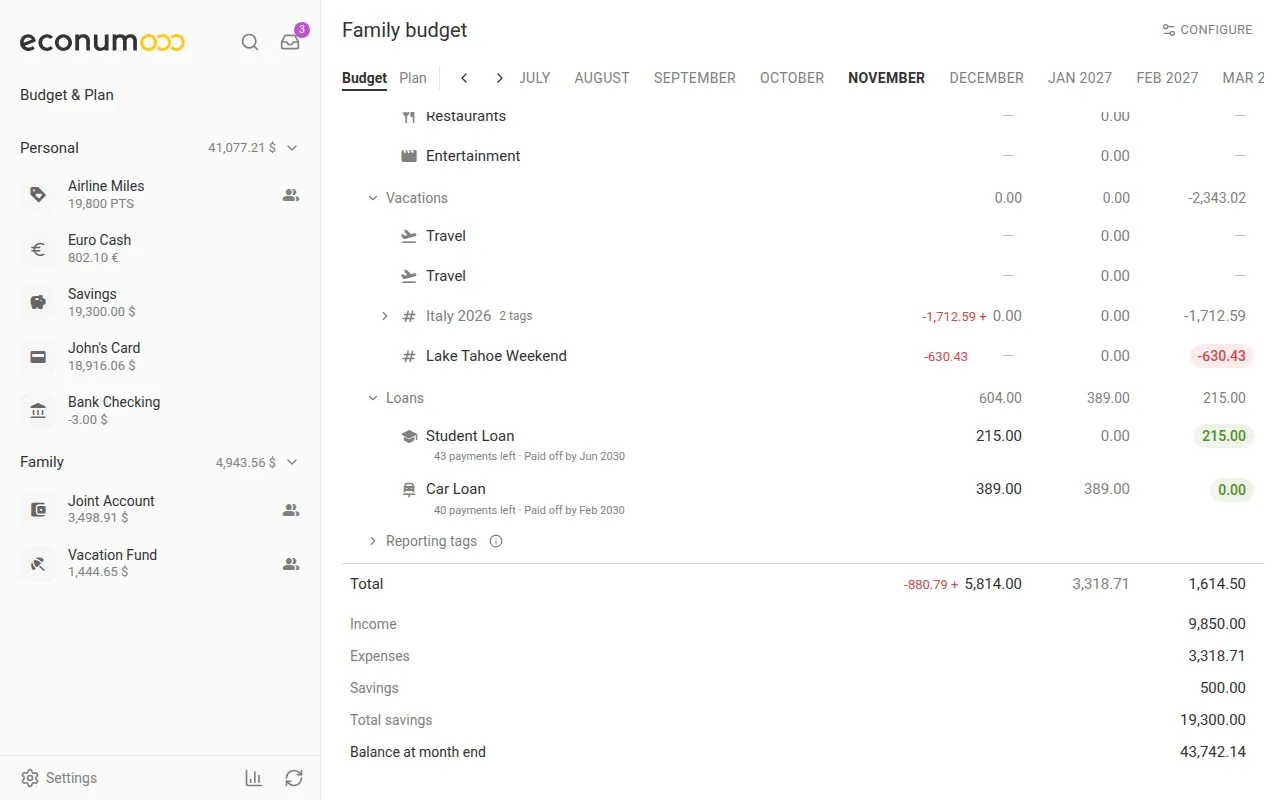
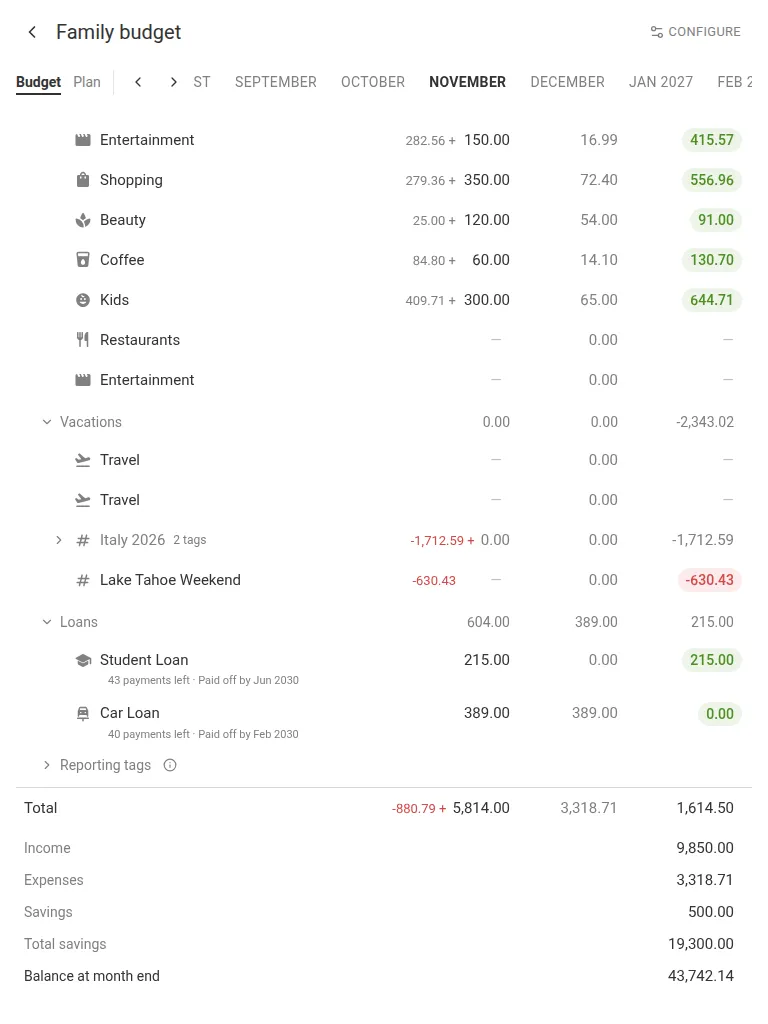
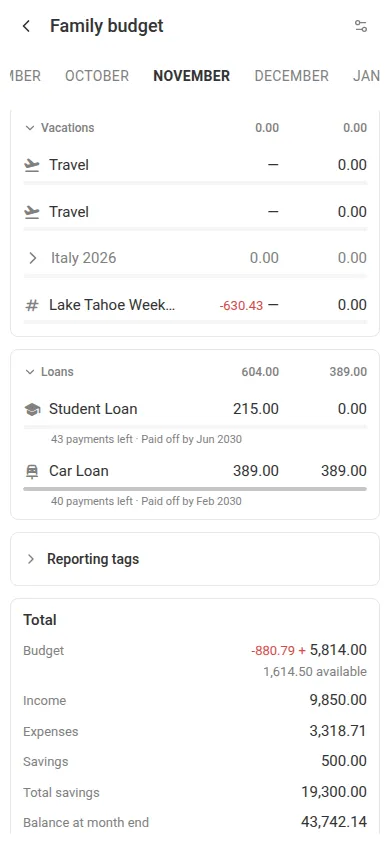
To track a loan:
- Give the loan its own expense category (for example Car Loan) and record its payments there, from an account in the budget.
- On the budget page, open the category’s ⋮ menu and choose Track as debt. On a tablet or phone, press Configure → Edit structure first, so the rows get their ⋮ menus.
- Enter the regular Payment and how often it Repeats, then press Add. Econumo starts counting the category’s expenses as payments straight away.
- Open the row’s ⋮ menu, choose Debt → Debt details, and go to Settings. Enter the Amount borrowed, the Start date and the Last payment date. The payments left, the balance and the payoff date appear.
Nothing changes in how you enter or import the payments. You don’t need to know the interest rate either: Econumo works out the rate your lender charges from the loan’s terms.
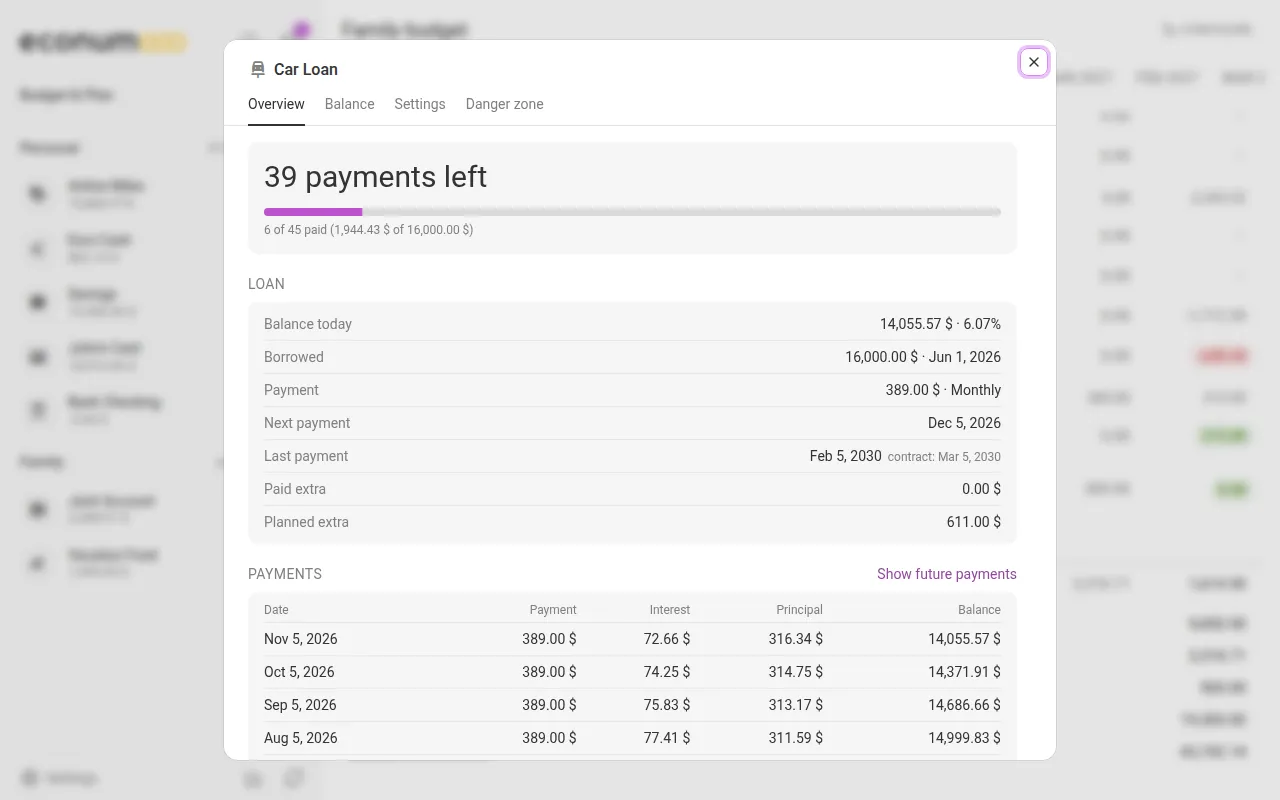
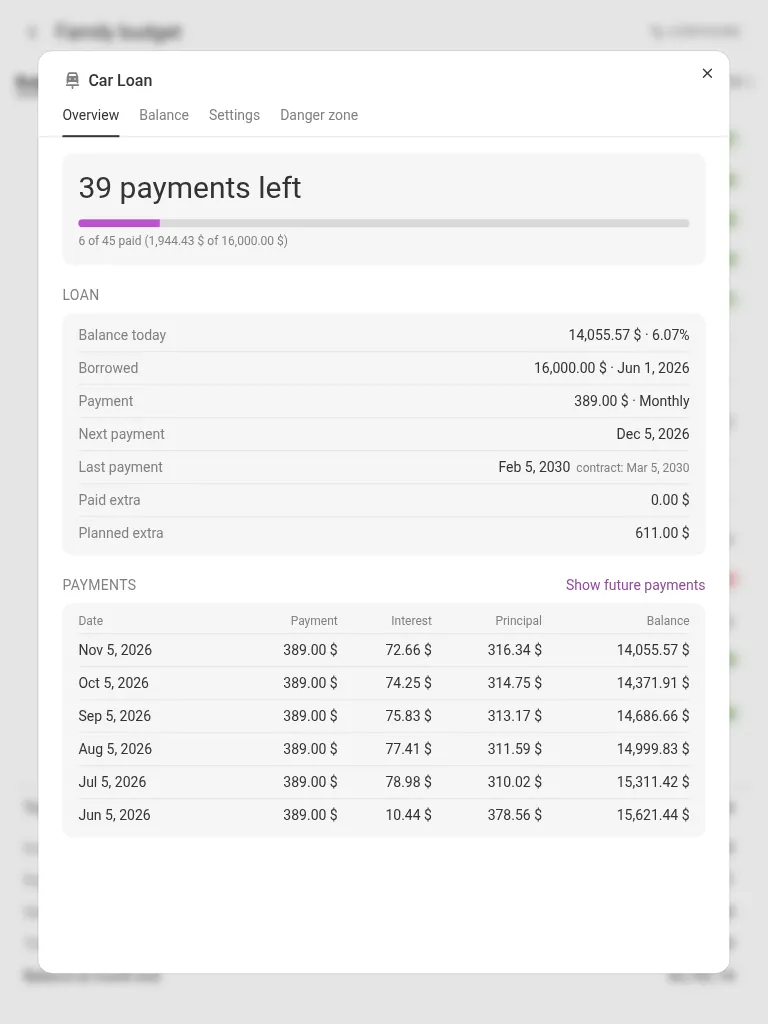
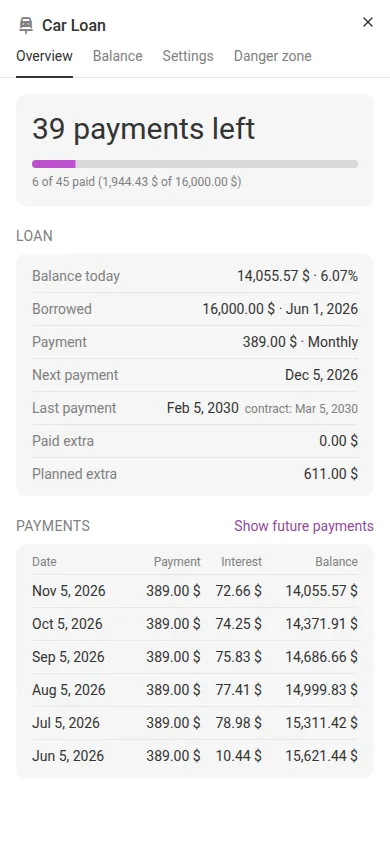
Debt details shows the whole loan:
- Overview shows the payments left, the balance today, the next and last payment, and every payment split into interest and principal. Show future payments adds the schedule ahead.
- Balance compares Econumo’s figure with your lender’s statement. Press Add a statement to reconcile, or Add a rate change when the rate moves.
- Danger zone has Mark as paid off, which settles the last small amount, and Delete. Your transactions stay as they are either way.
Plan more than the scheduled payment, in the budget or the Plan, and Econumo counts it as an extra payment: the payoff date moves earlier. In a shared budget, everyone sees each debt by name with its payments and balance.
The Debts guide covers every tab.
SimpleFIN: your bank transactions, synced #
SimpleFIN Bridge is a paid third-party service that connects to banks, mostly in the US and Canada. Connect it once, and each sync brings your bank transactions into the right Econumo account, so you stop typing them in.
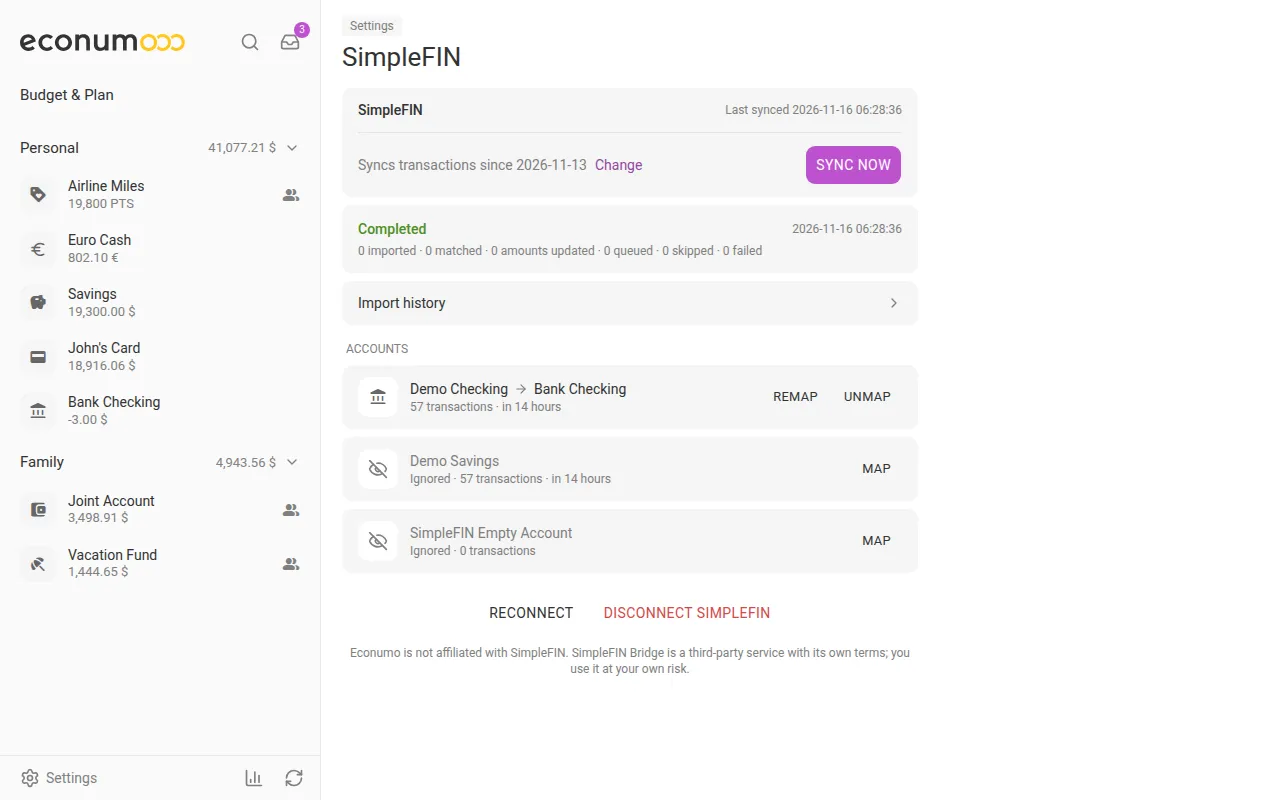
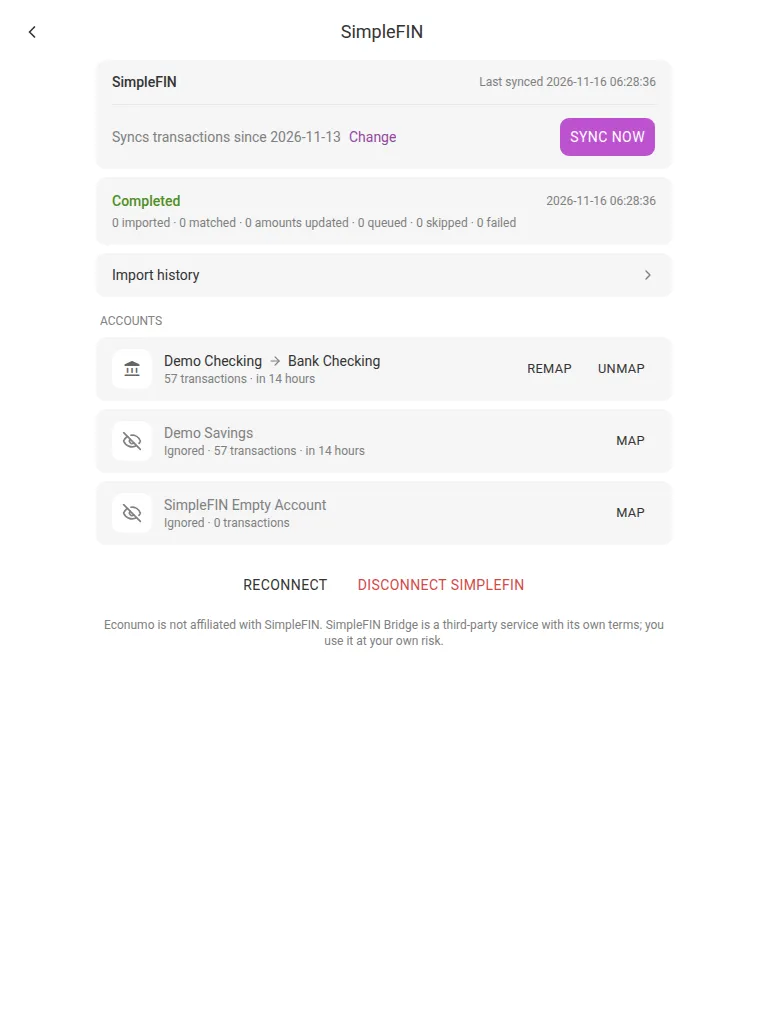
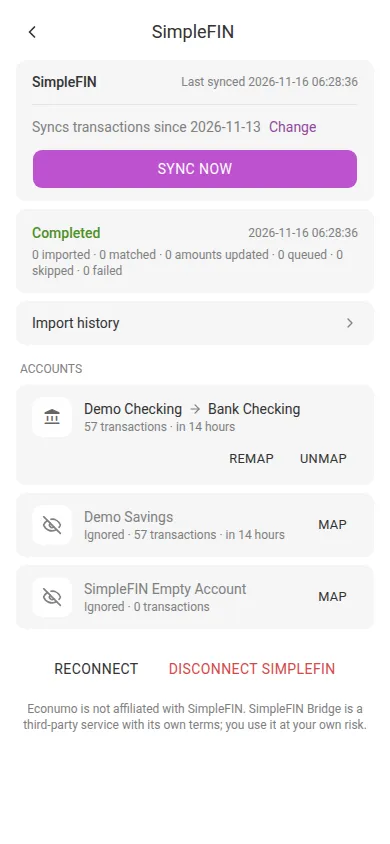
To connect it:
- In SimpleFIN Bridge, create a New connection and copy its setup token. The SimpleFIN page links to the Bridge website, and a token works only once.
- In Econumo, open Settings → SimpleFIN and paste the token into Setup token.
- Choose a Passphrase of at least 8 characters, type it again under Repeat passphrase, and press Connect.
- Press Sync now. Your bank accounts appear under Needs mapping.
- Press Map next to a bank account and pick the Econumo account its transactions go to. Its waiting transactions are imported right away. Press Ignore for an account you don’t want in Econumo.
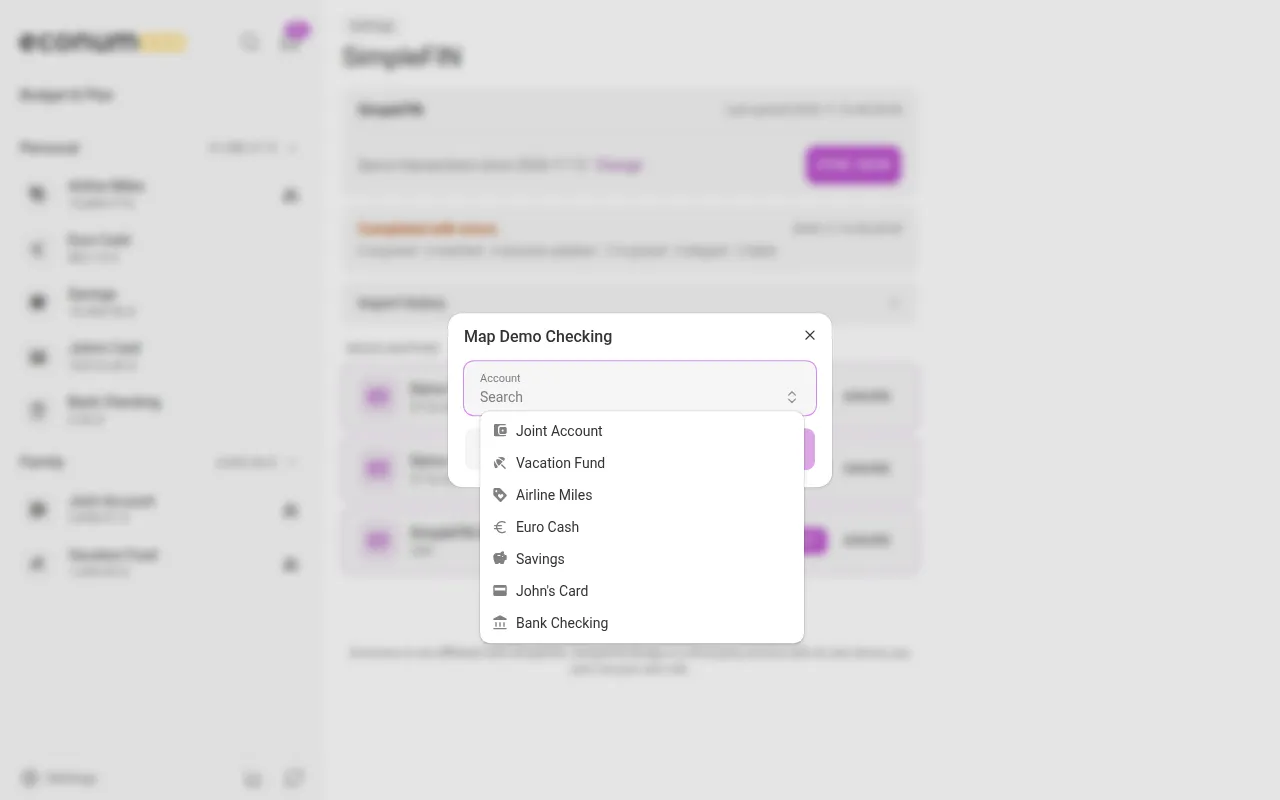
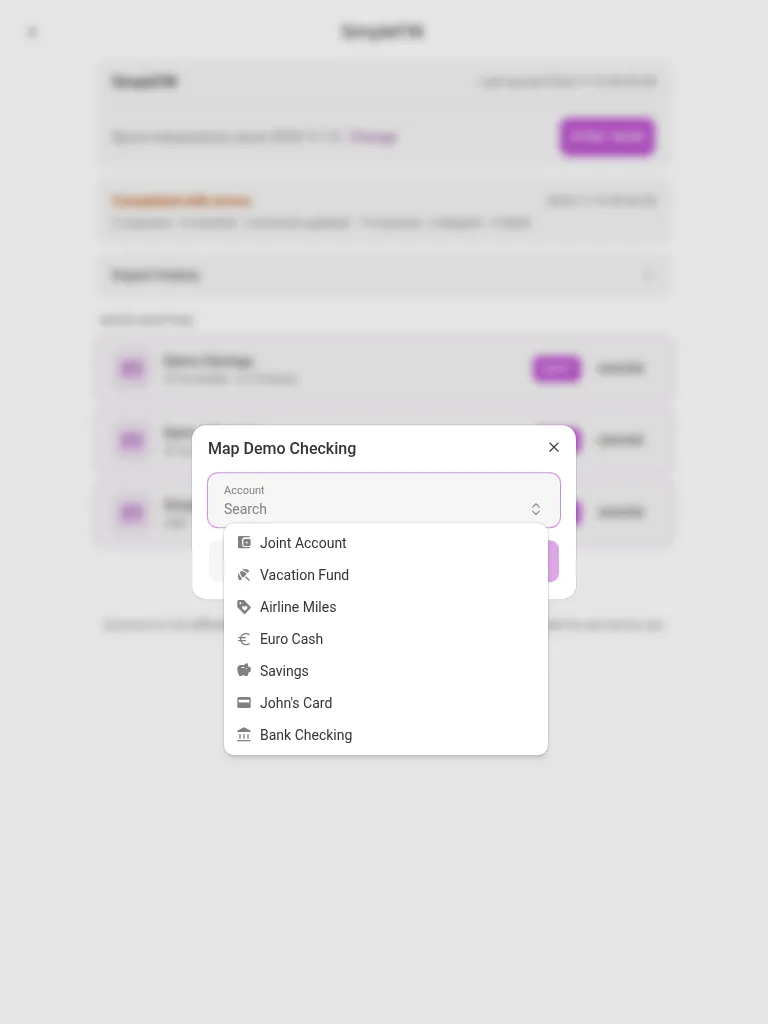
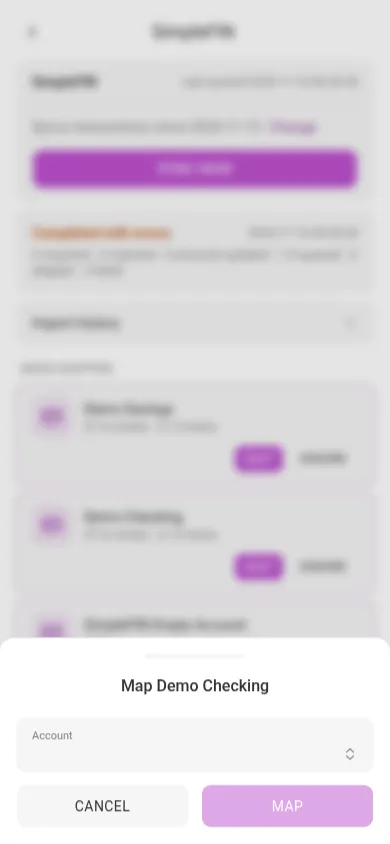
After that, press Sync now or the sync button at the bottom of the sidebar whenever you want new transactions:
- No duplicates. When a bank transaction matches one you already entered, such as a credit card payment you recorded as a transfer, Econumo links the two instead of adding a second.
- Import rules fill in the category, payee and tags of imported transactions. Anything Econumo can’t place waits in the Inbox.
- Import history lists every sync and what it imported, matched or skipped. If you delete an imported transaction by mistake, open it there and choose Import again.
The passphrase can’t be recovered. Your SimpleFIN credentials are encrypted on your device with it, and the server only ever stores them encrypted. Nobody, including us, can restore it. If you forget it, reconnect with a new setup token, and your account mappings are kept. On another device, enter the passphrase once and press Unlock.
Econumo is not affiliated with SimpleFIN. SimpleFIN Bridge has its own terms, and you use it at your own risk. The SimpleFIN guide has the full walkthrough, with screenshots of each step.
Budget months that start on payday #
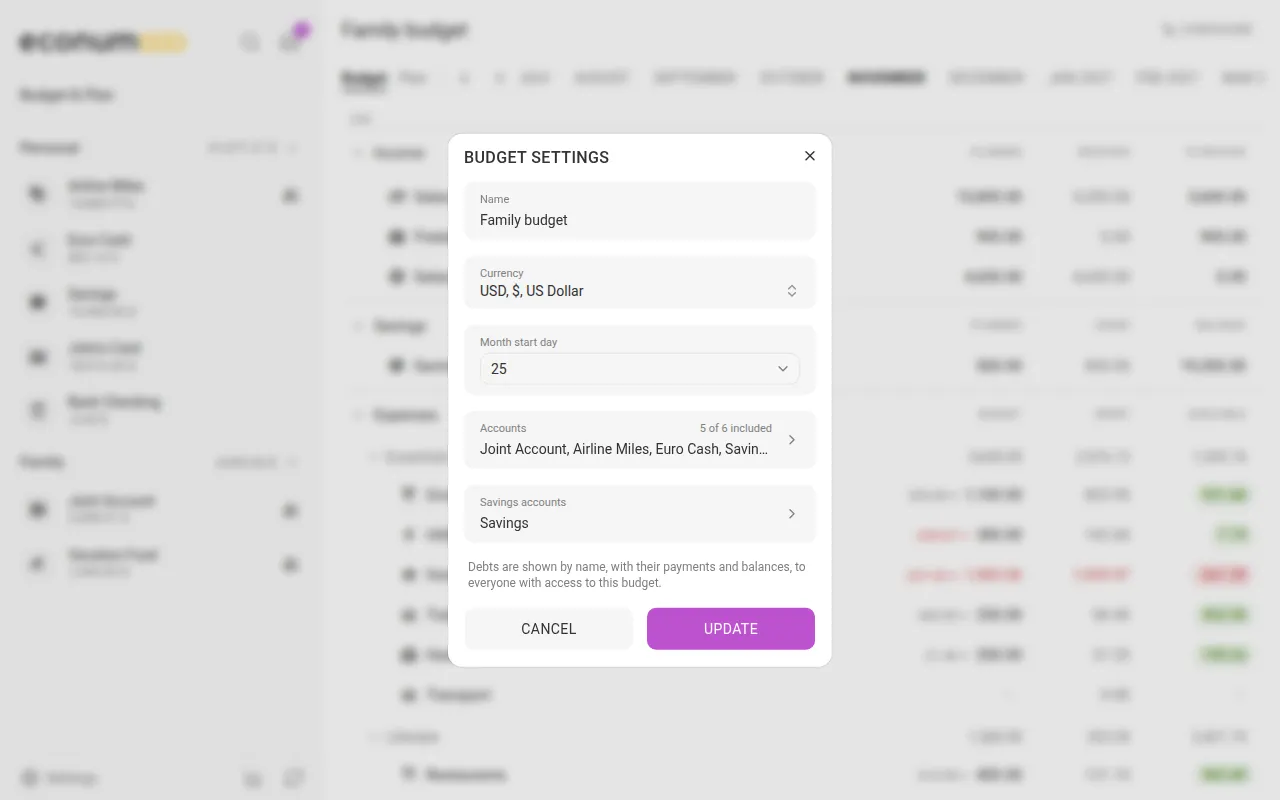
If your salary arrives on the 25th, a budget that runs from the 1st to the 31st splits every paycheck across two months. A budget’s months can now start on any day from 1 to 28, so each month runs from payday to payday.
To set it:
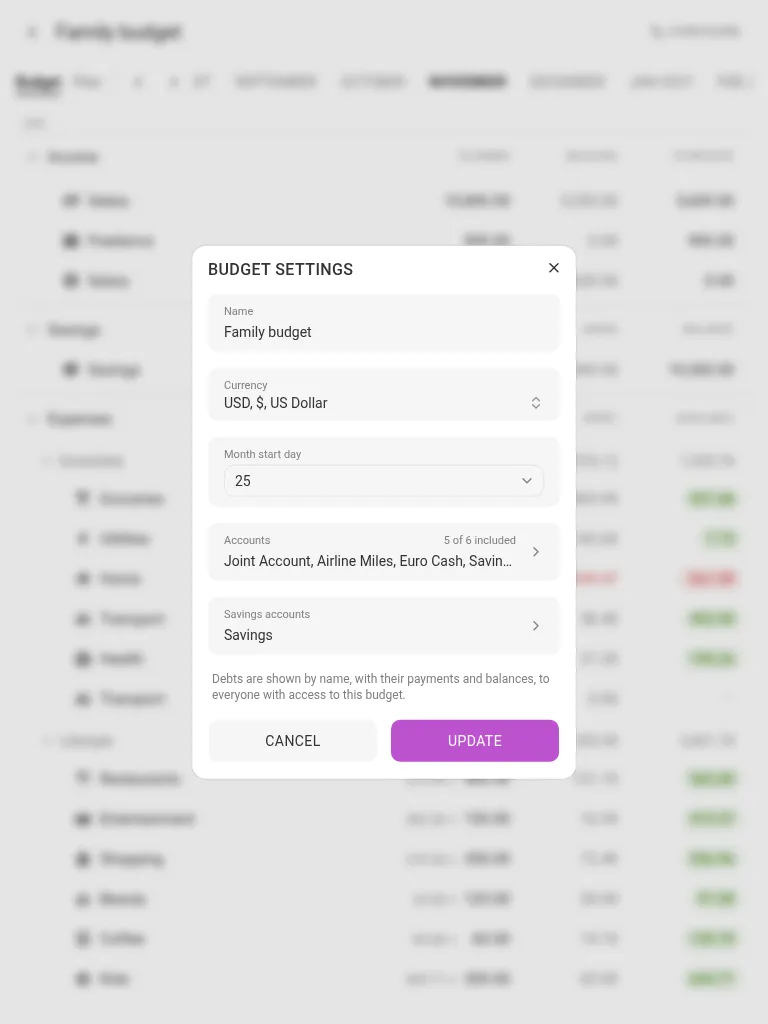
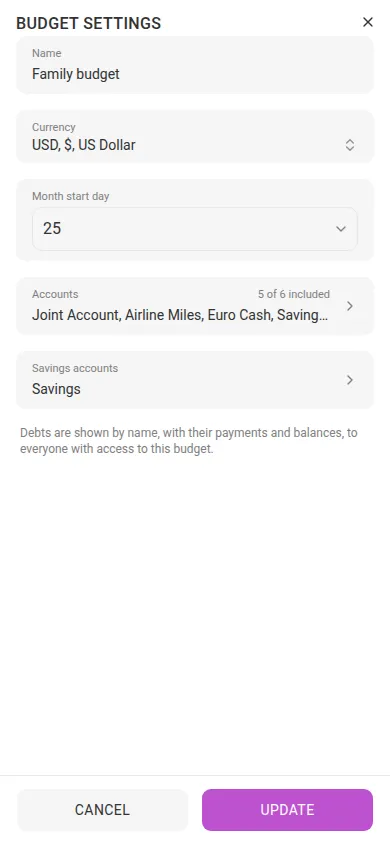
- For a new budget, open Settings → Budgets & Plans and press Create budget. For an existing one, open it and press Configure → Budget settings.
- Open Month start day and pick the day your month begins, from 1 to 28.
- Press Create or Update.
Each month is named after the month it starts in. With day 25, November covers 25 November to 24 December, and the months bar and the Plan show each month’s dates under its name. Changing the day later keeps your plans on their months; only the dates each month covers move.
Note The start day belongs to the budget, so everyone sharing it sees the same months. Only the budget’s owner, or someone with full control, can change it. Reports, recurring schedules, account pages and CSV exports keep using calendar months.
Reports, starting with Net worth #
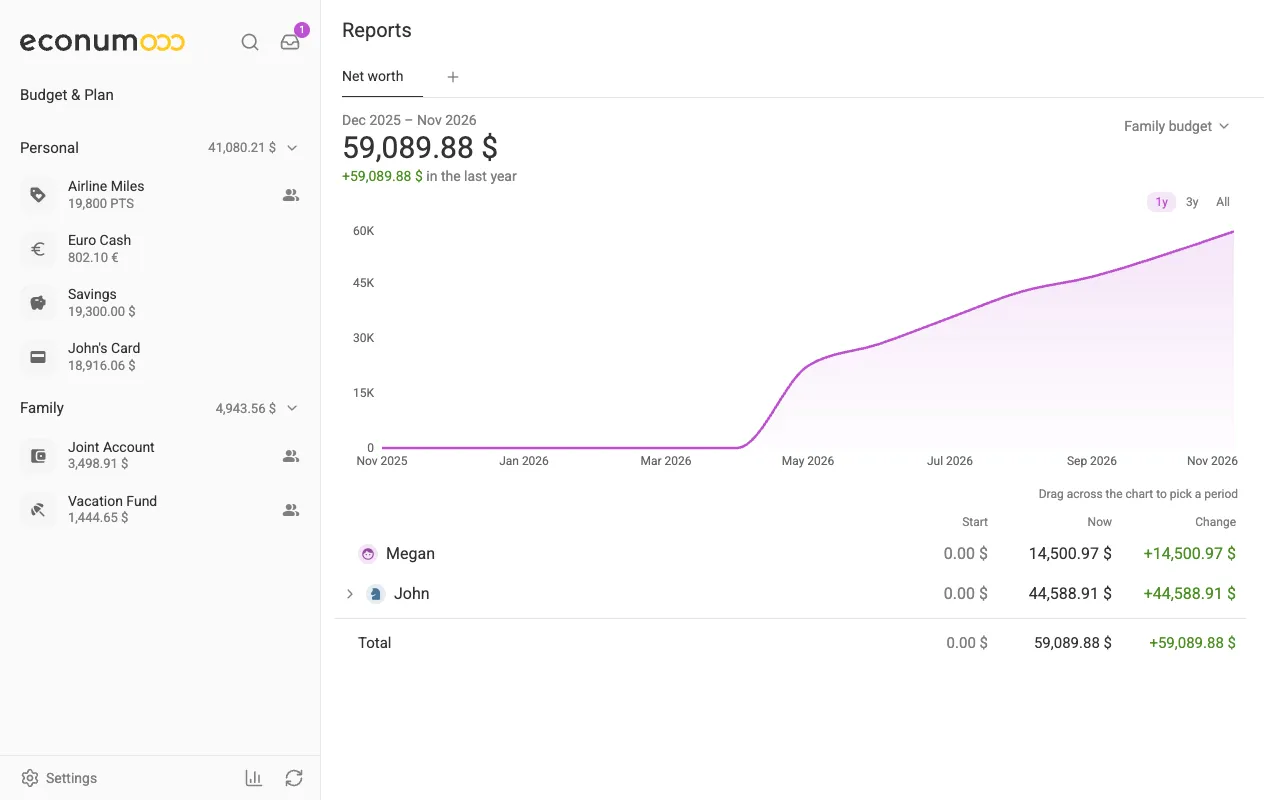
The budget answers “how is this month going?”. Reports answer bigger questions, and the first one is Net worth: am I getting richer or poorer?
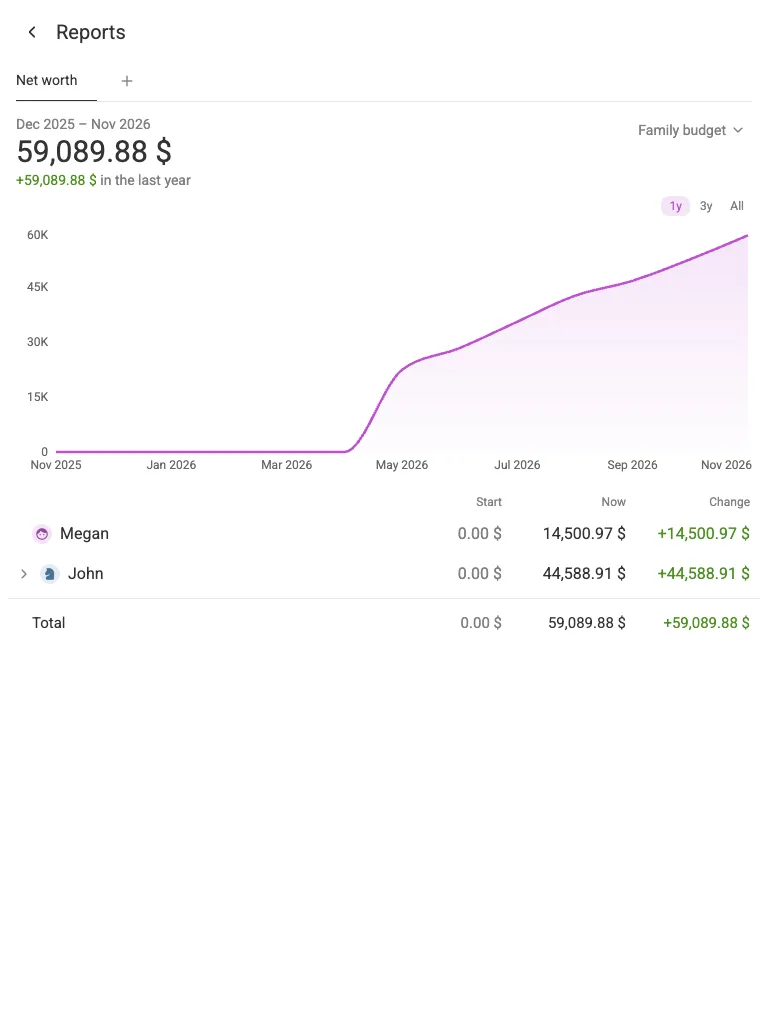
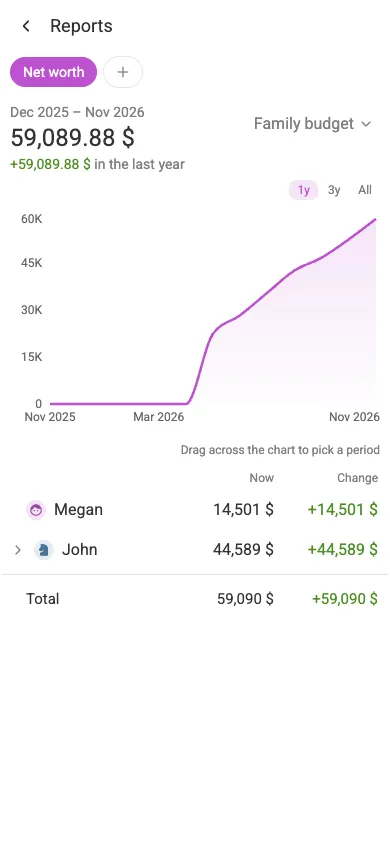
To open it:
- Press the chart icon at the bottom of the sidebar, next to the sync button. On a phone, it’s at the bottom of the home screen.
- Choose the Net worth card.
- In the top-right corner, pick the scope: My accounts, or one of your budgets. A shared budget covers everyone taking part in it.
- Pick the period with 1y, 3y or All.
The table under the chart shows where the change came from. For My accounts, there’s one row per account folder; for a budget, one row per person, with their savings accounts by name and one Everyday accounts total. To look at a shorter stretch, drag across the chart: the figures follow your selection, and Transactions lists what happened in it.
Reports open in tabs, so you can keep your own net worth and the family’s side by side. Missing a report? The Suggest a report card sends us the idea. More in the Reports guide.
App lock #
Hand your phone to someone, and they can open Econumo and read your finances. App lock asks for a PIN or a pattern whenever Econumo opens on that device.
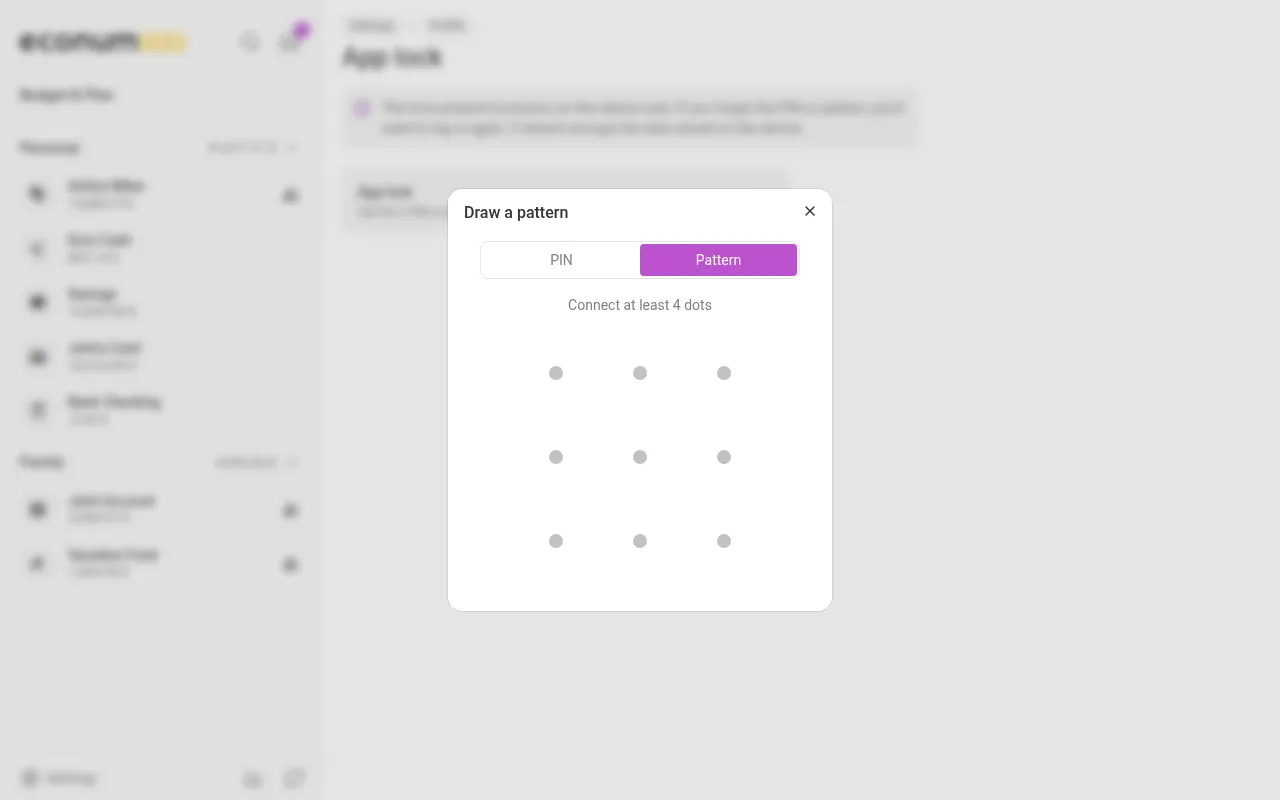
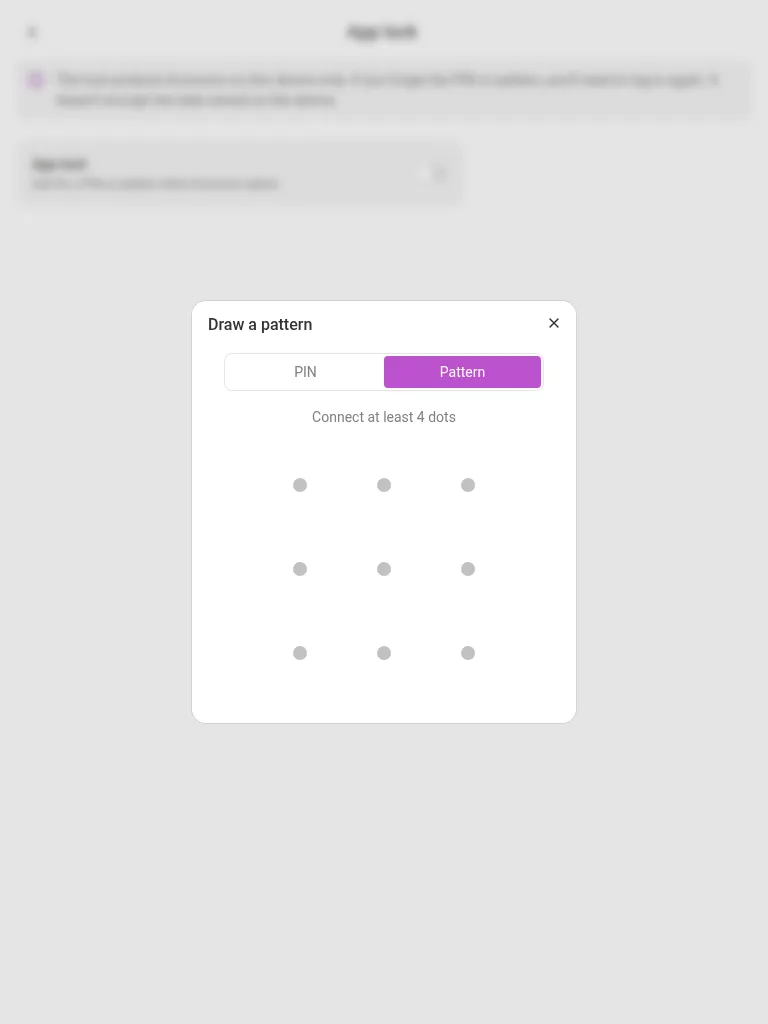
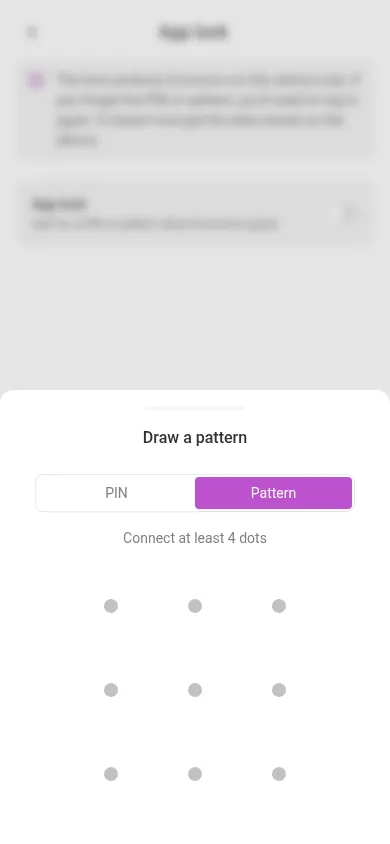
To switch it on:
- Open Settings → Personal settings, and under Security choose App lock.
- Turn on the App lock switch.
- Choose PIN (4 to 8 digits) or Pattern (connect at least 4 dots), enter it, then enter it again to confirm.
- Under Lock after, choose when Econumo locks once you leave it: Immediately, after 1 minute, 5 minutes or 15 minutes.
Change PIN or pattern asks for the current one first, and so does turning the lock off.
Note The lock is set per device: your phone and your laptop each have their own. If you forget the PIN or pattern, sign in again. The lock keeps people out of the app; it doesn’t encrypt the data stored on the device.
More in this release #
- AI rule suggestions. When Apple Wallet or SimpleFIN brings in transactions that no rule classified, the Inbox suggests a rule per merchant (“BLUE BOTTLE · 3 transactions → Coffee”). Tap it to review and save the rule, which also fills in those transactions. The AI never changes a transaction by itself. Turn it off with AI features in your profile. See AI rule suggestions.
- Work offline. The installed app opens without a connection. You can add, edit and delete transactions and change limits offline; the changes are sent when you’re back online. Your default budget’s previous, current and next month stay on the device, and the sync button turns into a no-connection icon while you’re offline.
- Getting started. New accounts get a step-by-step setup: import a CSV export, set up categories, accounts and a first plan, then Connect your accounts through Apple Wallet, SimpleFIN or an AI assistant. See Getting started.
- Restore an unfinished transaction. Cancel Add transaction by mistake, or reload the page, and the form offers to restore what you typed for the next 2 minutes.
- Exchange rates for more digital currencies, such as ETH, LTC and XMR, not just BTC.
- Accounts in hidden folders stay out of the transaction pickers until you search for them by name.
- The CSV import mapping is roomier, and an Econumo export maps every column by itself in any language.
- New categories start with a star icon and new accounts with a card, instead of a house.
- The What’s new card now appears only for major and minor releases.
- Phone sheets close faster and make room for the iPhone keyboard.
- German and Dutch now use the formal form throughout, and dependencies were updated across the stack.
For self-hosters #
Upgrading — pull the new image and restart; database migrations run automatically on boot. Back up your database first. The upgrade adds the tables for debts, widens currency codes to four letters on PostgreSQL, and stores every email address in lowercase. That last change means
Alice@example.comshows asalice@example.comafterwards, and it can’t be undone without the backup. If two accounts’ addresses differ only by case, the older one gets the lowercase form and the server logs a warning for the other; move it withuser:change-email.
- SimpleFIN is on by default.
ECONUMO_IMPORT_SIMPLEFINnow defaults totrue; set it tofalseto hide it. It needs Econumo served over https (or onlocalhost), because the browser encrypts the credentials only on a secure page. - Rate limits are per client IP.
ECONUMO_RATE_LIMIT_GLOBALis ignored (with a warning at boot); useECONUMO_RATE_LIMIT_IP. Behind a reverse proxy, setECONUMO_CLIENT_IP_HEADER, or all its users count as one IP. Behind Cloudflare, useECONUMO_CLIENT_IP_HEADER=CF-Connecting-IP. - Exchange rates for alternative digital currencies (ETH, LTC, XMR, DASH, DOGE…) load from Open Exchange Rates, and
currency:addaccepts four-letter codes. .env.exampleis now a short quick start; every setting is documented indocs/full.env.example.
GitHub release #
- Econumo: v1.8.0
- Full changelog: v1.7.3…v1.8.0