Inbox #
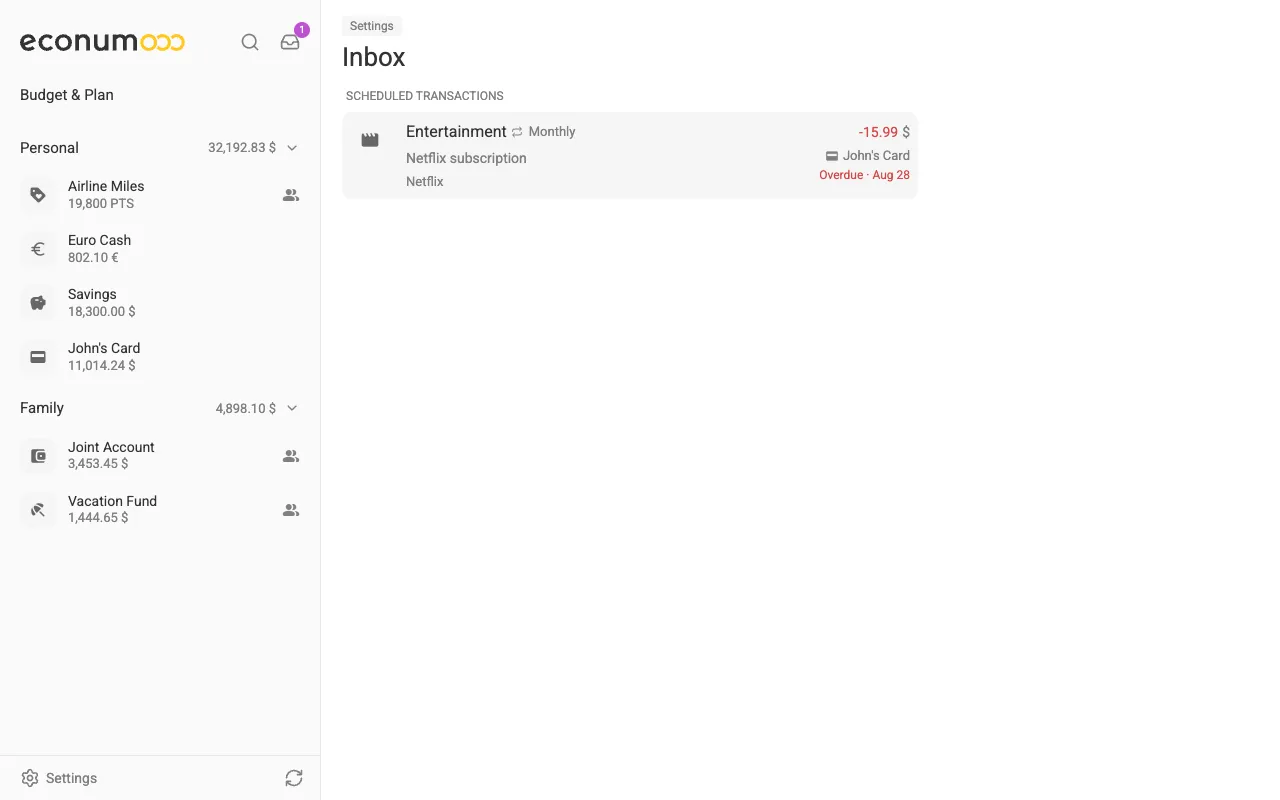
The Inbox collects everything that is waiting on you in one place. Open it with the tray icon at the top of the sidebar (on mobile, at the top of the home screen); its badge shows how many things are waiting.


In this section #
With nothing pending, the page simply reads “All caught up”.
Scheduled transactions #
Recurring transactions that are due today or overdue come first, across all your accounts. Each row shows the schedule’s category, interval, note, payee, amount and account, and when it was due — “Overdue · Aug 28”.
Select a row to open its Transaction details, then:
- POST — records the payment as a real transaction, and the schedule moves on to its next date.
- Skip — the step-over icon beside it — passes on this occurrence without recording anything.
Either way the schedule moves on to its next date.
Sharing invites #
When someone shares an account or a budget with you, the invite waits in the Sharing group at the bottom of the Inbox, saying who invited you and to what. Accept it — for an account, you first choose the folder to file it under — or Decline it. See Shared Access for the details.