The v1.7.1 release is a follow-up to v1.7.0, and most of it is about the phone. Choosing a category, payee, account or currency now happens in a bottom sheet with the search right above the keyboard, and forms no longer jump around while you type.
Global search now finds your recurring payments too, and the budget tells an empty plan apart from a plan of 0.
Self-hosting Econumo? Upgrade notes and API changes are in For self-hosters at the end of this page.
Pickers that work on a phone #
On an iPhone, picking a category used to make the screen jump: iOS scrolled the form to each field, and the dropdown could flip over the header as the keyboard moved. On a phone, a picker now opens a sheet instead, and the form under it holds still.
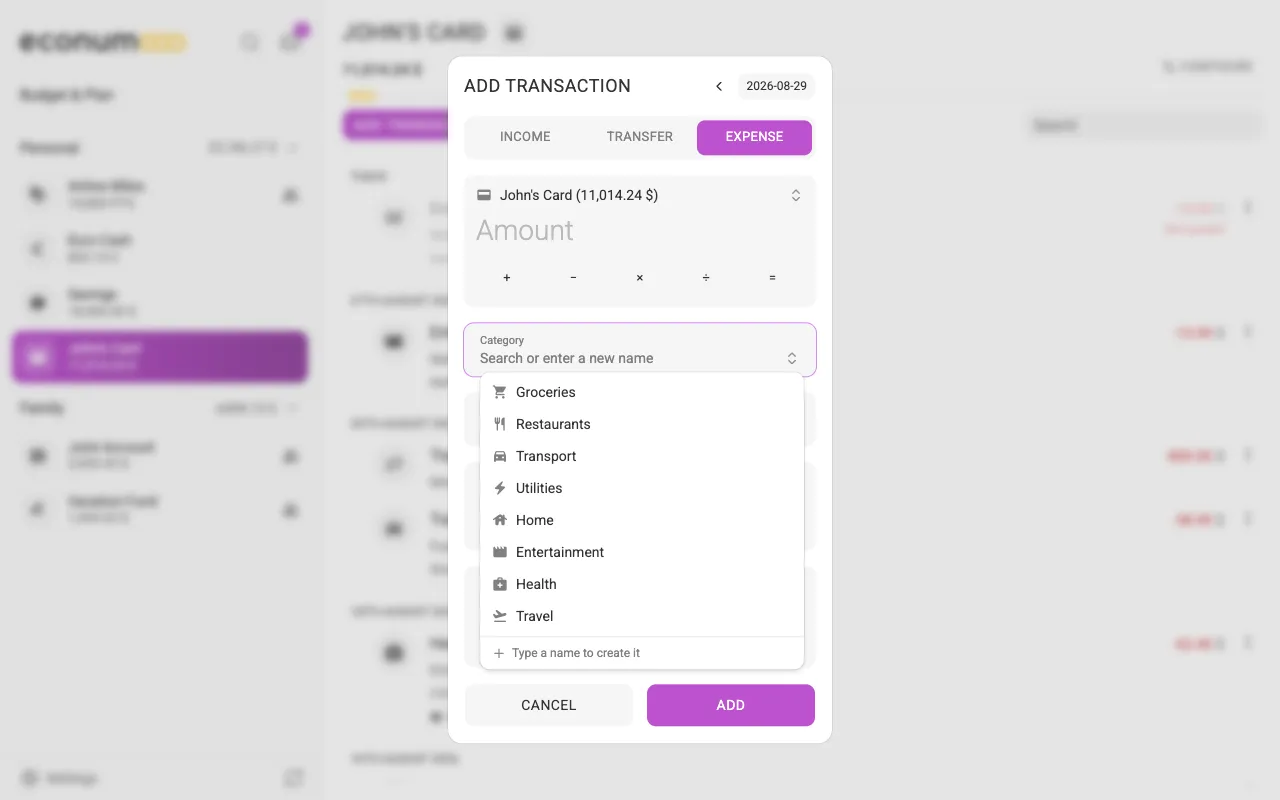
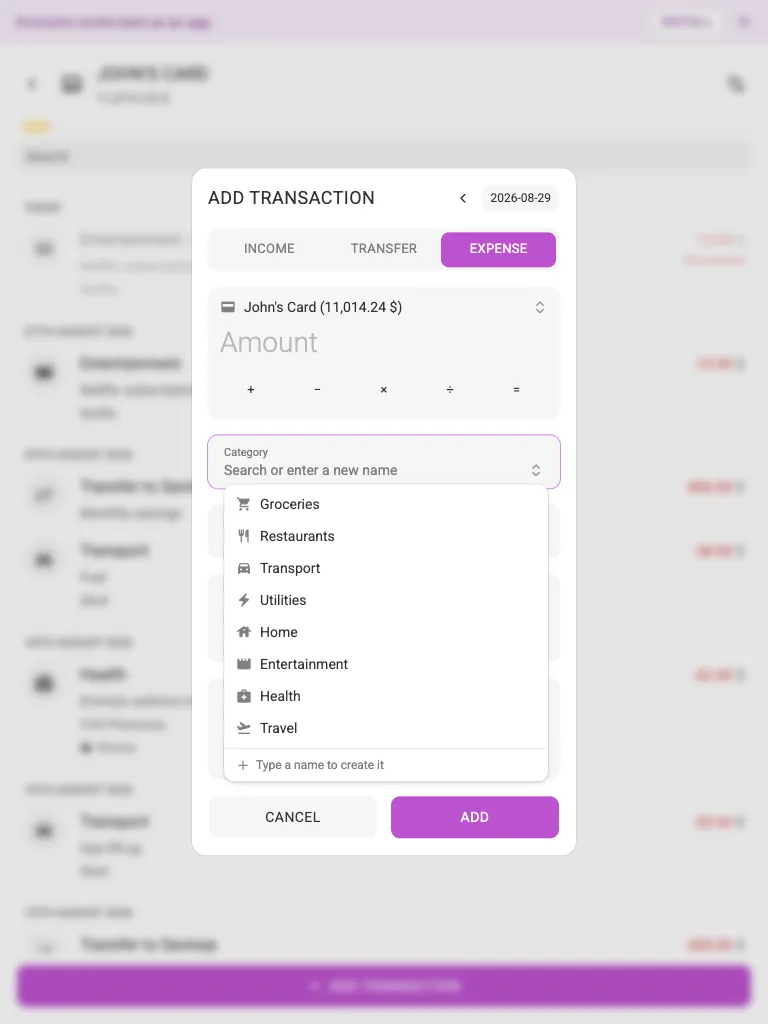
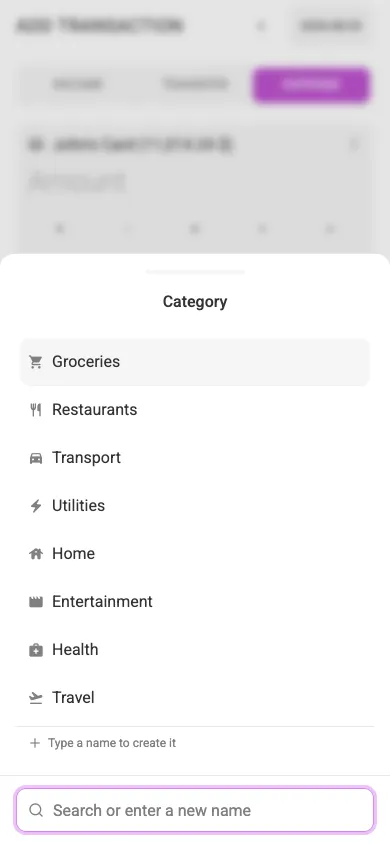
To pick a category on a phone:
- Tap Add transaction.
- Tap Category. A sheet opens with your categories, and the search field sits at the bottom, right above the keyboard.
- Type to narrow the list, then tap a category or press Enter. If nothing matches, the name you typed creates a new category.
The Recipient and account pickers work the same way. On a desktop or tablet, the picker stays an inline dropdown under the field: the first match is highlighted as you type, ↑ and ↓ move the highlight, and Enter picks it.
Every searchable picker in the app now behaves like this: the currency in the account, budget, envelope and Profile forms, a budget’s Accounts and Savings accounts lists, and Merge into.
Recurring payments in search #
Global search used to find only transactions you had already entered. It now finds your recurring payments as well, under their own Recurring group.
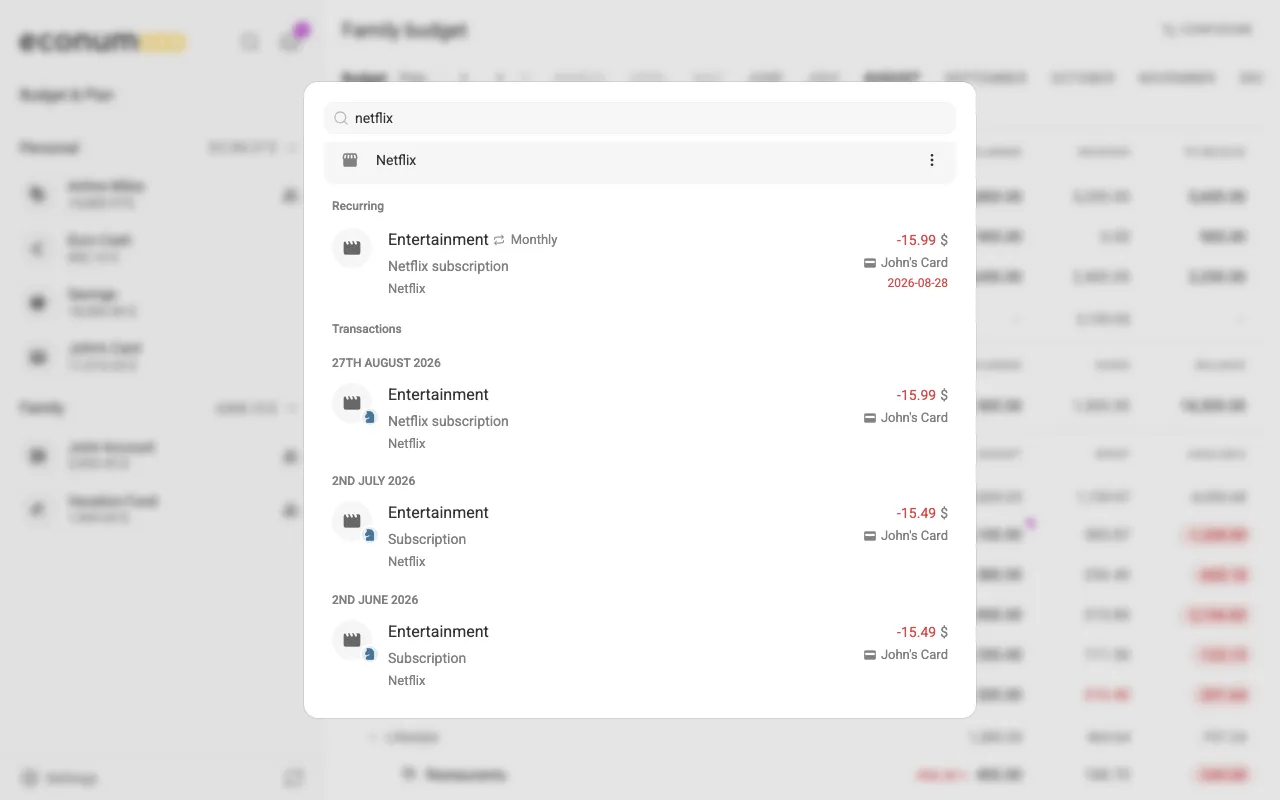
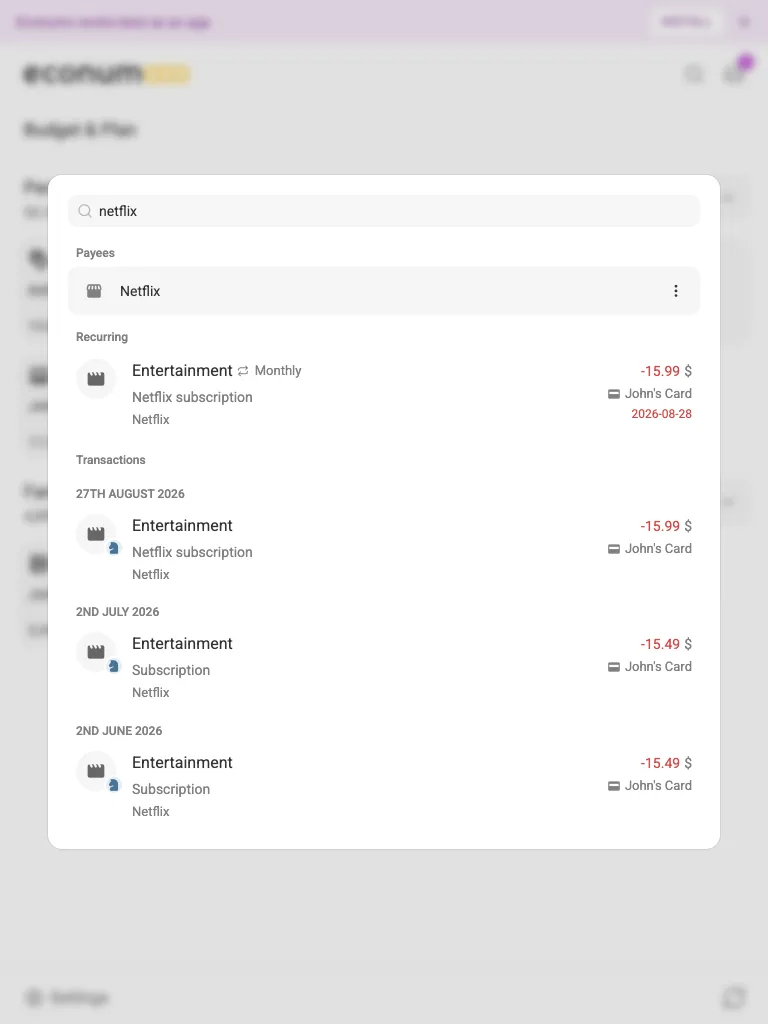
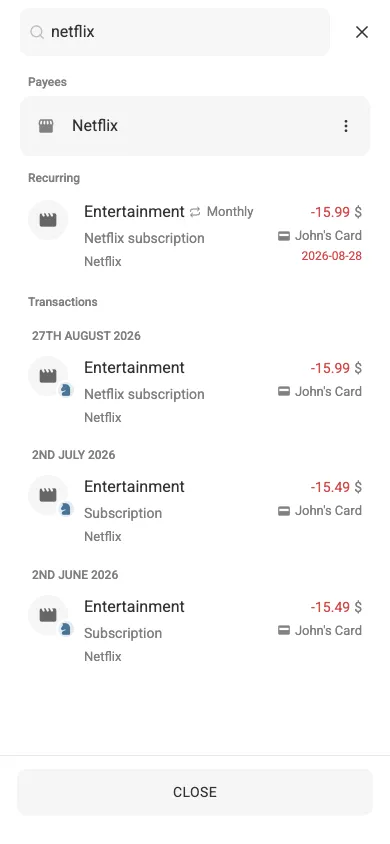
To find one:
- Open search with the search button, or press Ctrl+K (⌘K on a Mac).
- Type part of the payment’s description, amount, payee or schedule.
- Matching recurring payments appear under Recurring, the next one due first, with their schedule and next payment date.
- Click one to open it. Post enters this payment now, the button beside it skips it, and the Recurring transaction row opens the schedule for editing.
Recurring payments also appear when you open a category, payee, tag or label from search. The list of recent transactions you see before typing doesn’t include them.
An empty plan is not a plan of 0 #
The Budget and Plan used to treat a plan of 0 and no plan at all as the same thing. They’re now different:
- Type
0to set a plan of zero. It shows as0, keeps a category, tag or envelope you haven’t used yet visible, and turns red if a recurring payment is still due. - Clear the amount and save to remove the plan. The Budget shows a muted dash, and the Plan grid an empty cell.
- In the Plan grid, copying or dragging an empty cell over others now clears them. It used to write 0.
Steadier on the iPhone #
- Forms fit above the keyboard. Full-screen forms on a phone (a transaction, an account, a budget, an envelope, a category, a recurring payment) now shrink to the space above the keyboard. The header stays at the top, the form scrolls in between, and the buttons sit right on the keyboard.
- Bottom sheets stay on top of the keyboard. Sheets with a text field, such as Send feedback or Set plan, no longer end up squeezed or stretched when the keyboard opens, switches language or shows emoji.
- No more stray background when you pull past the edge. Pulling down at the top or up at the bottom no longer drags the whole app. This also turns off pull-to-refresh in a Safari tab; the sync button still refreshes.
- New and Edit category open as a bottom sheet on phones, like New tag and New payee, with the icons in swipeable pages.
- The comments sheet ends in the same Cancel and Post buttons as the Set plan sheet, with the character counter under the field.
- One banner at a time. A subscription notice and the “install the app” banner no longer stack at the top. The more urgent one shows, and the other comes back once you dismiss it.
- Picker rows, the transaction date button and picker text in form cards now match the rest of the form.
More in this release #
- Transfer is greyed out in the transaction form when you have only one account you can add transactions to. Editing an existing transfer still works.
- Switch to the account you just used. On an account page, adding a transaction to a different account shows a Switch to bar that opens that account. A transfer into the account you’re looking at no longer offers to switch to the page you’re already on.
- New users can start a budget sooner. The empty Budget page offers Create a budget as soon as you have one account, and adding that account no longer fails if you deleted an earlier one.
- A new account’s balance starts empty, with 0 as the hint, so typing an amount no longer gives
0123. - In Settings, Install the app now sits below Billing.
- Dependency updates across the stack.
For self-hosters #
There are no breaking changes and no database migrations. Upgrading is a straight image bump.
- API clients: everything is additive.
get-budgetaddsisBudgeted(0 or 1) tostructure.elementsandstructure.savings, so you can tell no plan from a plan of 0;budgetedis still"0"for both. The connection list adds each connected user’screatedAt. - MCP:
set_limitnow saves an amount of0as a plan of zero. Omit the amount to clear the plan, as before.
GitHub release #
- Econumo: v1.7.1
- Full changelog: v1.7.0…v1.7.1