The v1.4.0 release is the biggest one since 1.0 — and it is all about planning. A spreadsheet-style Plan view lets you budget several months ahead, income included; budgets themselves gained a life cycle (an end month, an archive, one-click duplication); duplicate categories, tags and payees can finally be merged; and a new kind of tag — the reporting tag — tracks what your money goes on without touching the budget math.
Upgrading from v1.3.x — this release runs database migrations on boot, so back up your database before pulling the new image. If you script against the REST API, note the breaking renames: the
order-*-listendpoints are replaced bymove-*endpoints,delete-categoryno longer acceptsmode=replace, andexclude-account/include-accountare replaced byadd-account/remove-account. The web and mobile apps need no configuration changes. Full details in the GitHub release notes.
Plan view — budget months ahead #
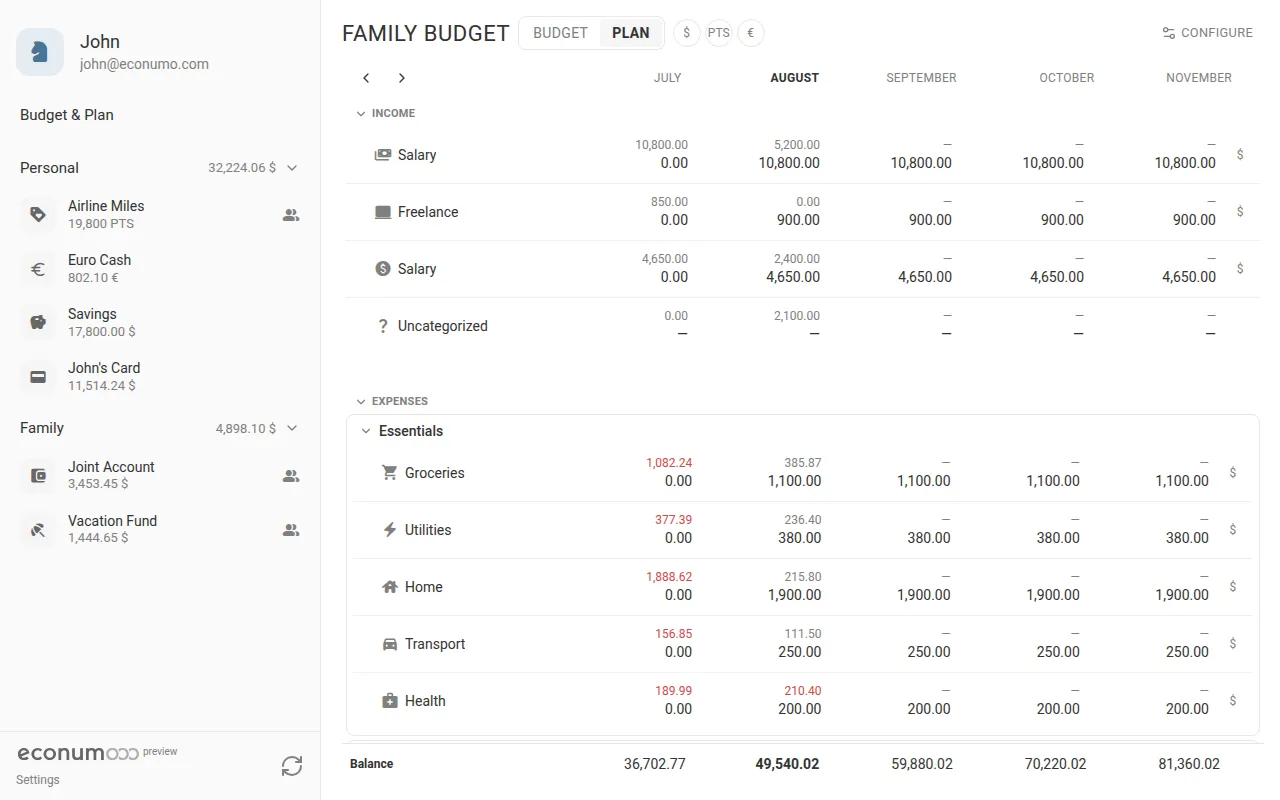
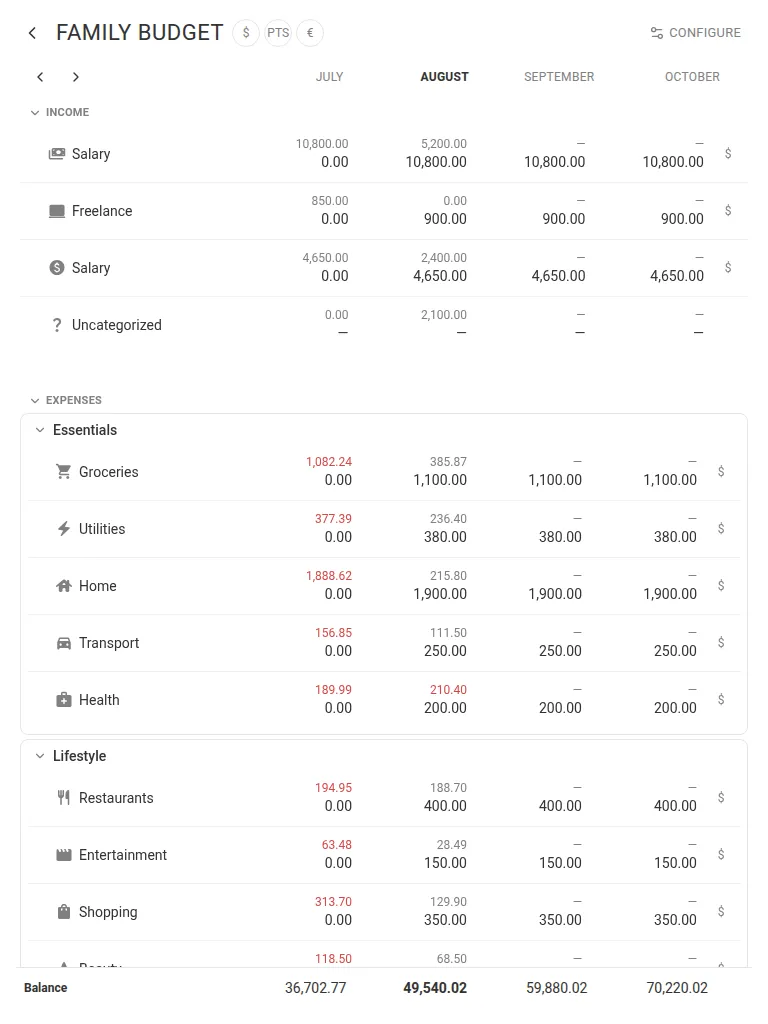
Until now the budget page showed one month at a time. The new Plan view puts your whole budget on a multi-month sheet: every envelope, category and tag is a row, every month is a column, and each cell shows the actual amount above the planned one. A running Balance row projects your money forward month by month, so you can see the effect of a planned vacation or an annual bill long before it lands.
To plan a month:
- Open Budget & Plan and switch the toggle beside the budget name from BUDGET to PLAN.
- Click any cell in the month you want to plan. A small Budget field opens with a calculator keypad.
- Type the amount and tap SAVE. Income categories sit in their own INCOME section above the expenses and are planned exactly the same way.
- Drag the small square at the bottom-right of a selected cell — Copy budget to the following months — to repeat that amount across the months to its right.
- Step the window with the Earlier months / Later months arrows above the sheet.
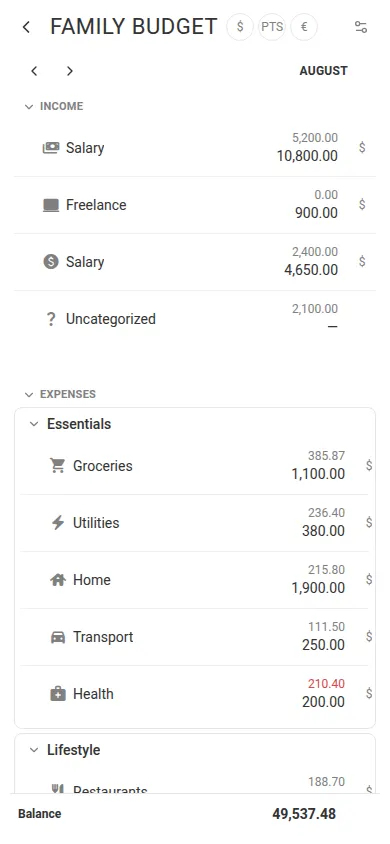
The Balance row at the foot of the sheet rolls every month forward, seeded from your real account balances — so a planned trip in December visibly dents the projection for the months after it. Actual amounts that overshoot the plan are shown in red.
Note Long budgets get noisy fast. CONFIGURE → Hide empty rows drops every row that has neither an actual nor a planned amount in the visible window. On a phone the sheet collapses to a single month column and you step through months with the same arrows.
Budget lifecycle — complete, archive, duplicate #
Budgets no longer live forever by default. A budget can now be completed with an end month, archived into a read-only state that stays browsable, and duplicated — structure, folders, envelopes, member accounts and sharing included — so a new season starts without rebuilding anything.
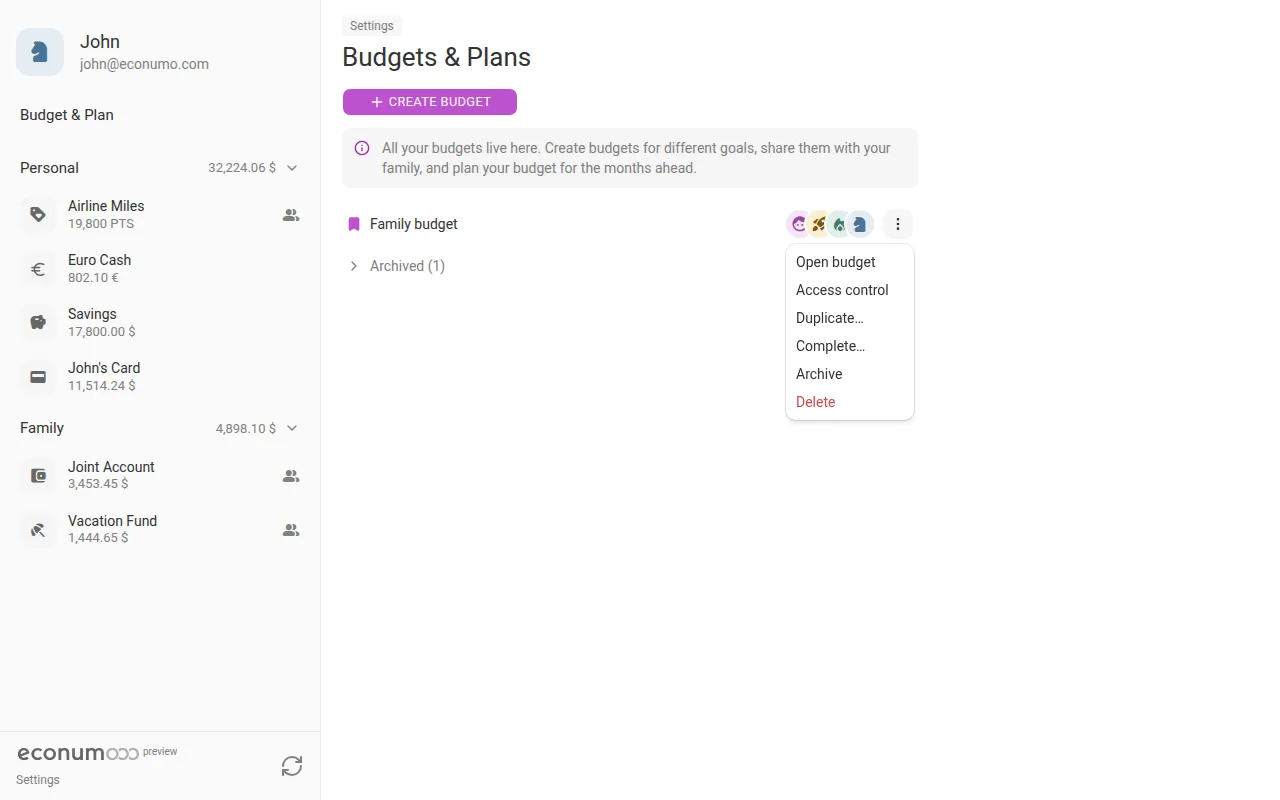
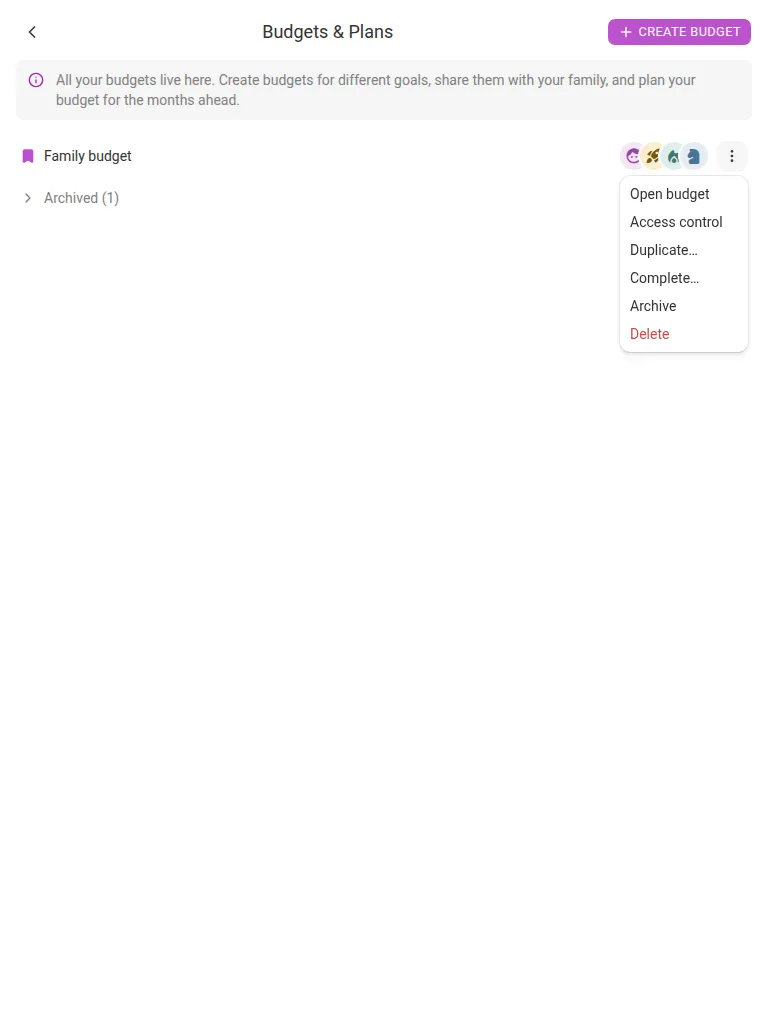
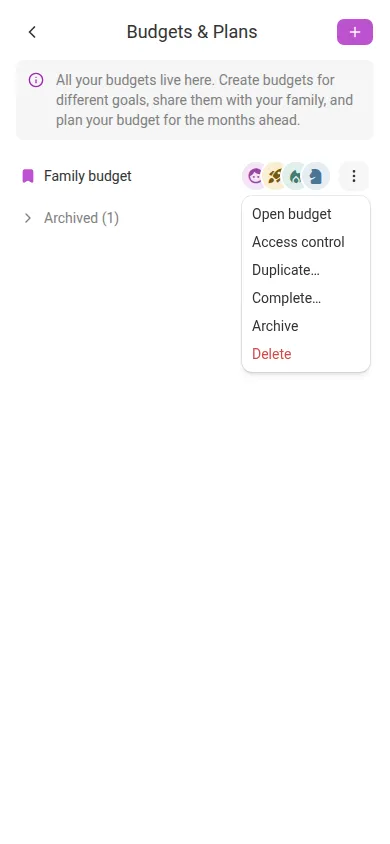
Everything lives in Settings → Budgets & Plans, in each budget’s ⋮ menu:
- Complete… closes the budget: pick the Last month it covers and, optionally, leave Continue in a copy starting this month on (with or without Copy plans) to name and start the successor in the same step. Tap SAVE — the old budget is archived immediately.
- Duplicate… makes a copy on its own. It is pre-named after the original with “(copy)” appended, keeps Copy plans on by default, and can Start from this month instead of the original’s first month.
- Archive files a budget away without completing it; Unarchive brings it back.
Archived budgets collapse into an Archived (N) group at the bottom of the list. Opening one shows a banner — “This budget is archived and read-only” — so last year’s numbers stay exactly as they were.
Note Budget admins with full-control access can duplicate a shared budget too, not just its owner.
Reporting tags — a second, budget-neutral classification #
Budget tags answer “how much can I spend on this project?” — one per transaction, with a spending limit. The new reporting tags answer a different question: “what does my money actually go on?” Mark people, pets or places — a kid, a dog, a second home — and see the spend per tag on the budget page. A transaction can carry several reporting tags, and they never affect the budget math.
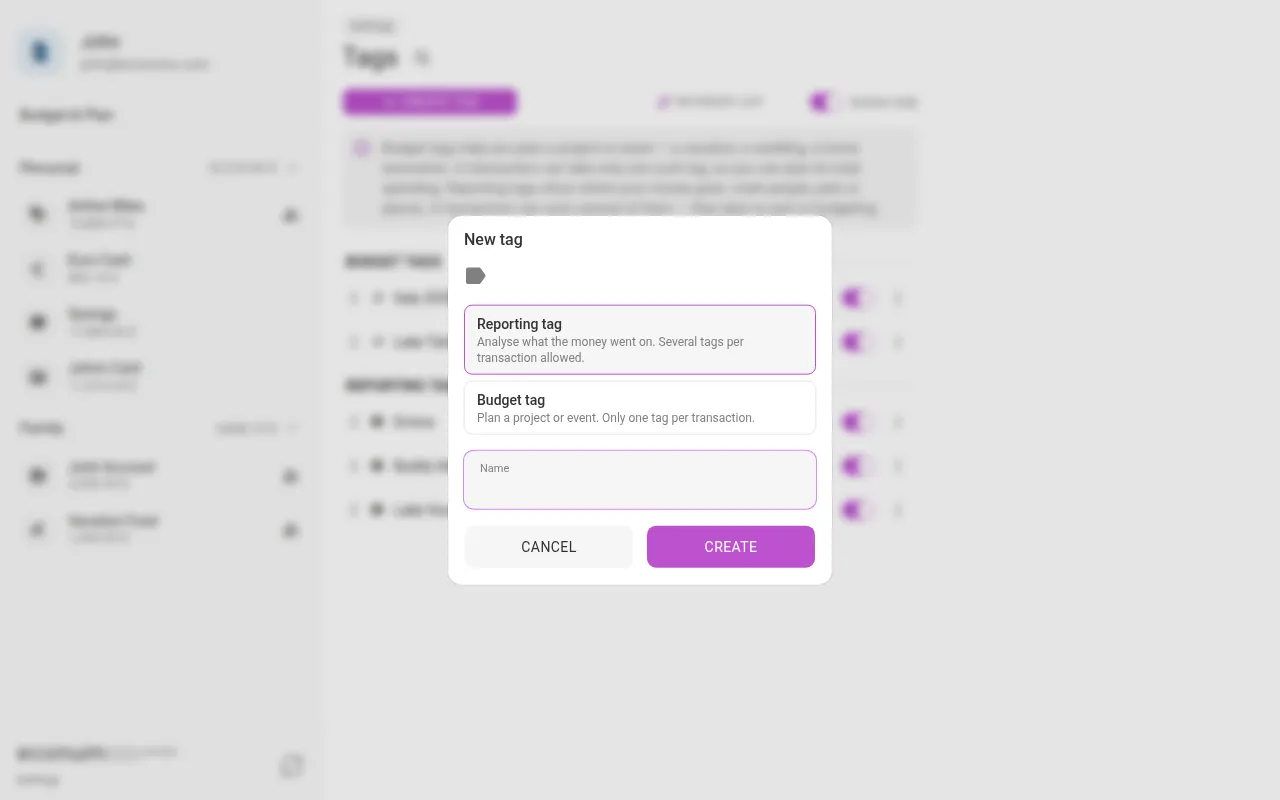
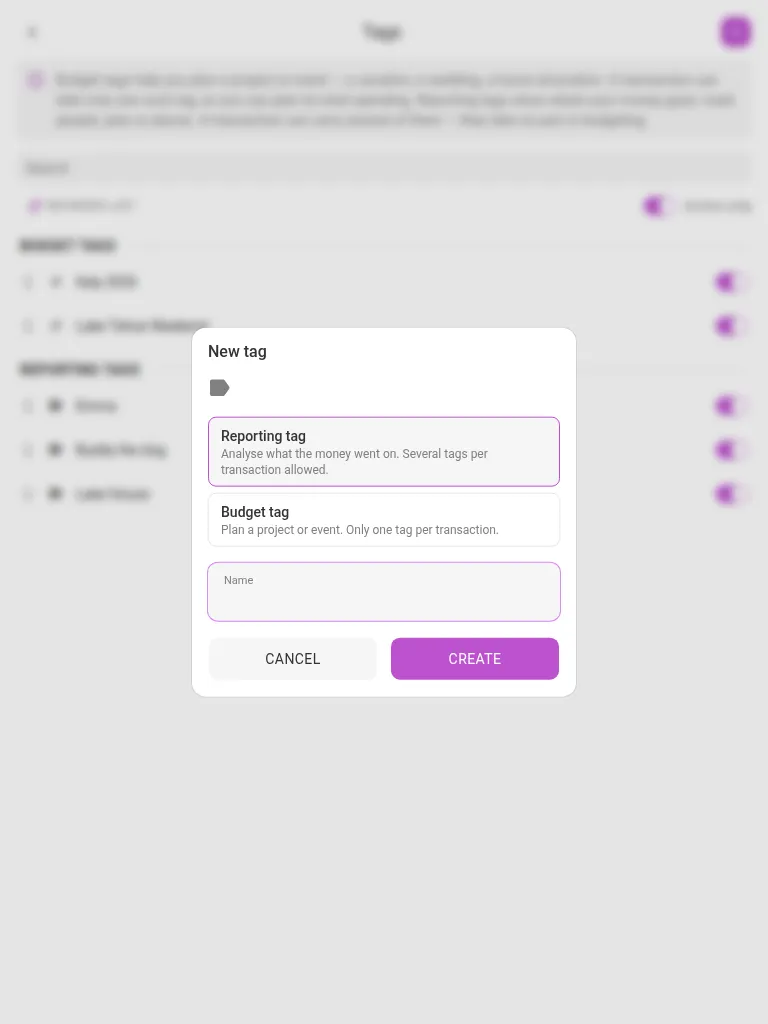
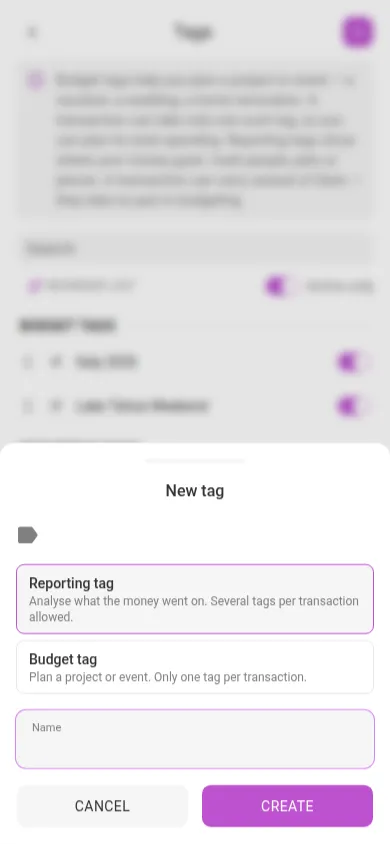
To add one:
- Open Settings → Tags and tap CREATE TAG.
- Pick the kind: Reporting tag (“Analyse what the money went on. Several tags per transaction allowed.”) or Budget tag (“Plan a project or event. Only one tag per transaction.”).
- Type a name and tap CREATE. The kind can’t be changed afterwards, and the list splits into BUDGET TAGS and REPORTING TAGS sections.
- In any transaction, the Tags row now offers both: budget tags (marked
#) select one-of, reporting tags toggle freely. Tap + to create a new one without leaving the form.
Per-tag totals appear in their own Reporting tags block at the foot of the budget page, below the categories:
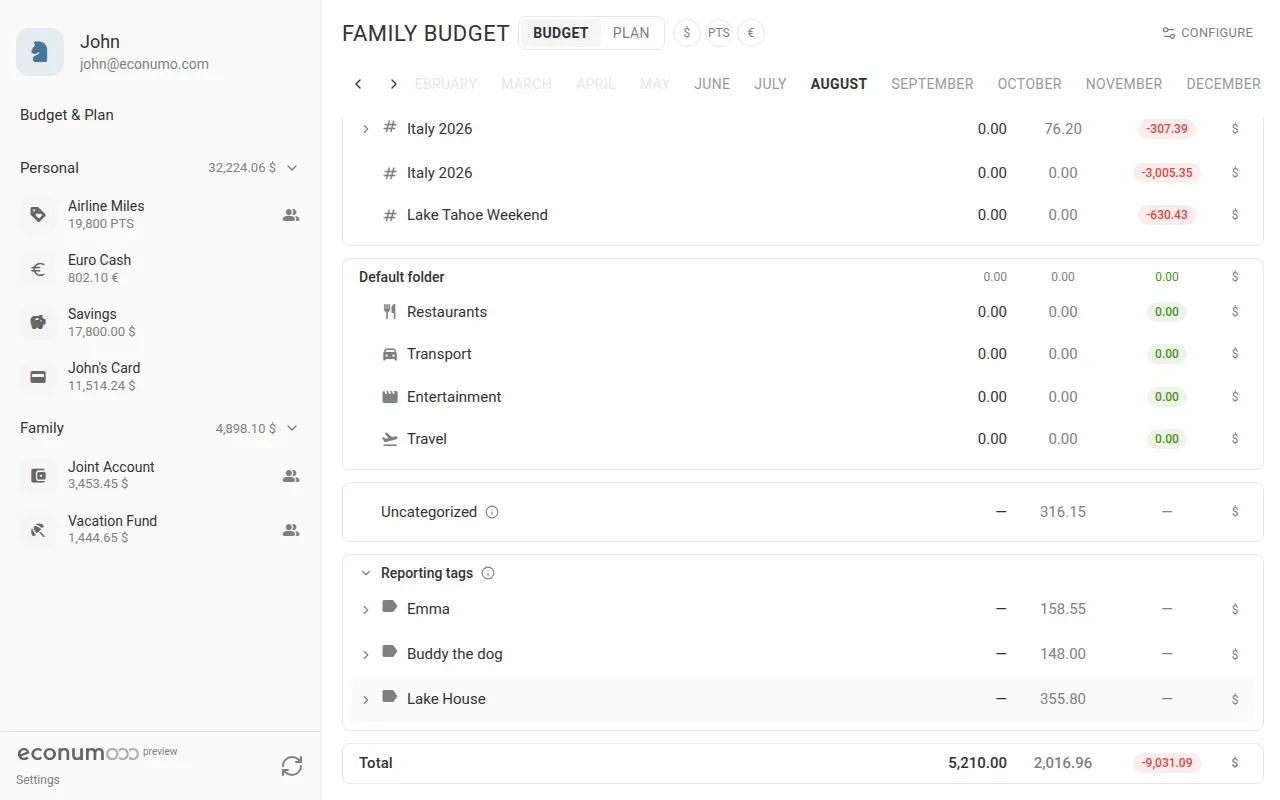
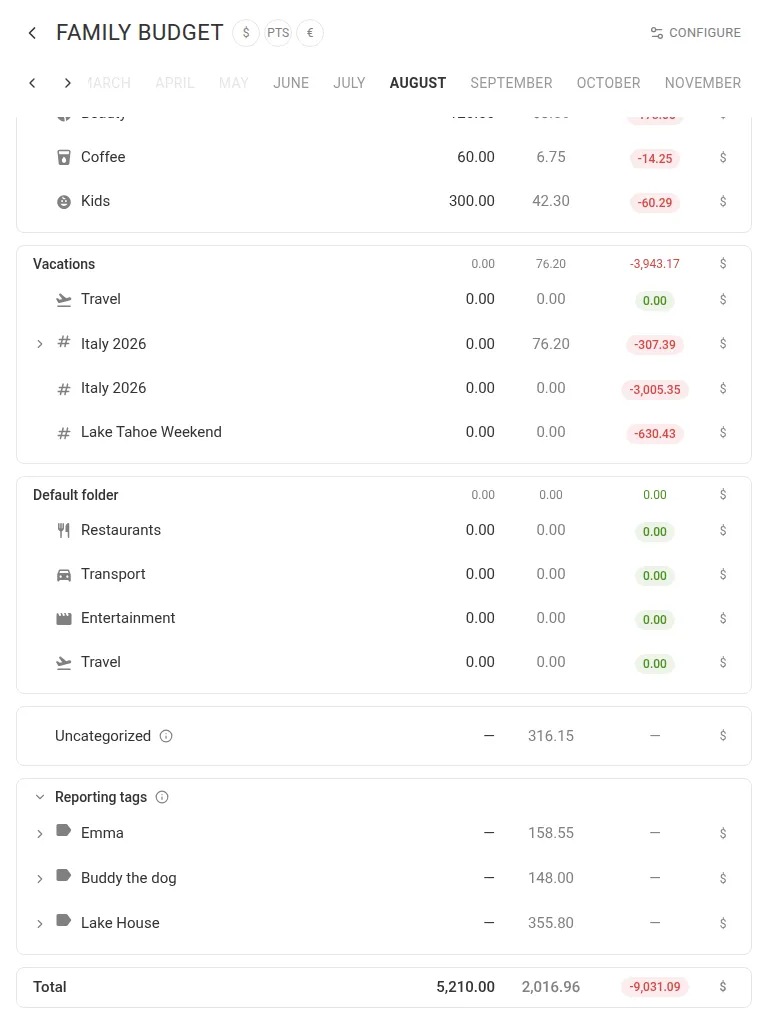
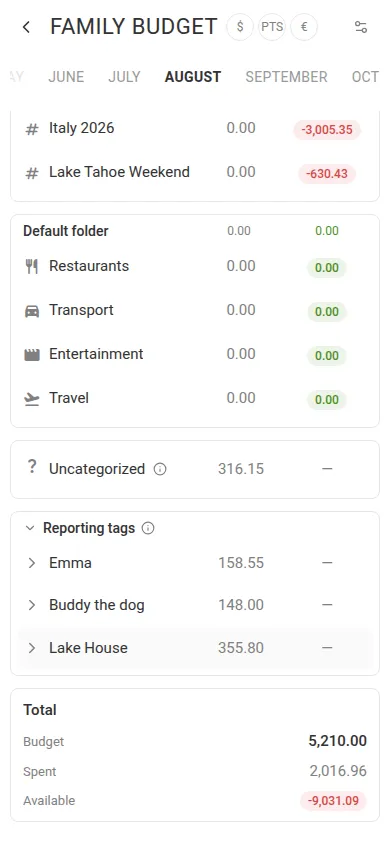
Because a transaction’s full amount counts under each of its reporting tags, the block deliberately overlaps — a $50 vet bill tagged with both the dog and the summer house shows $50 under each. That is also why the block sits outside the budget totals rather than inside them.
Merge duplicate categories, tags and payees #
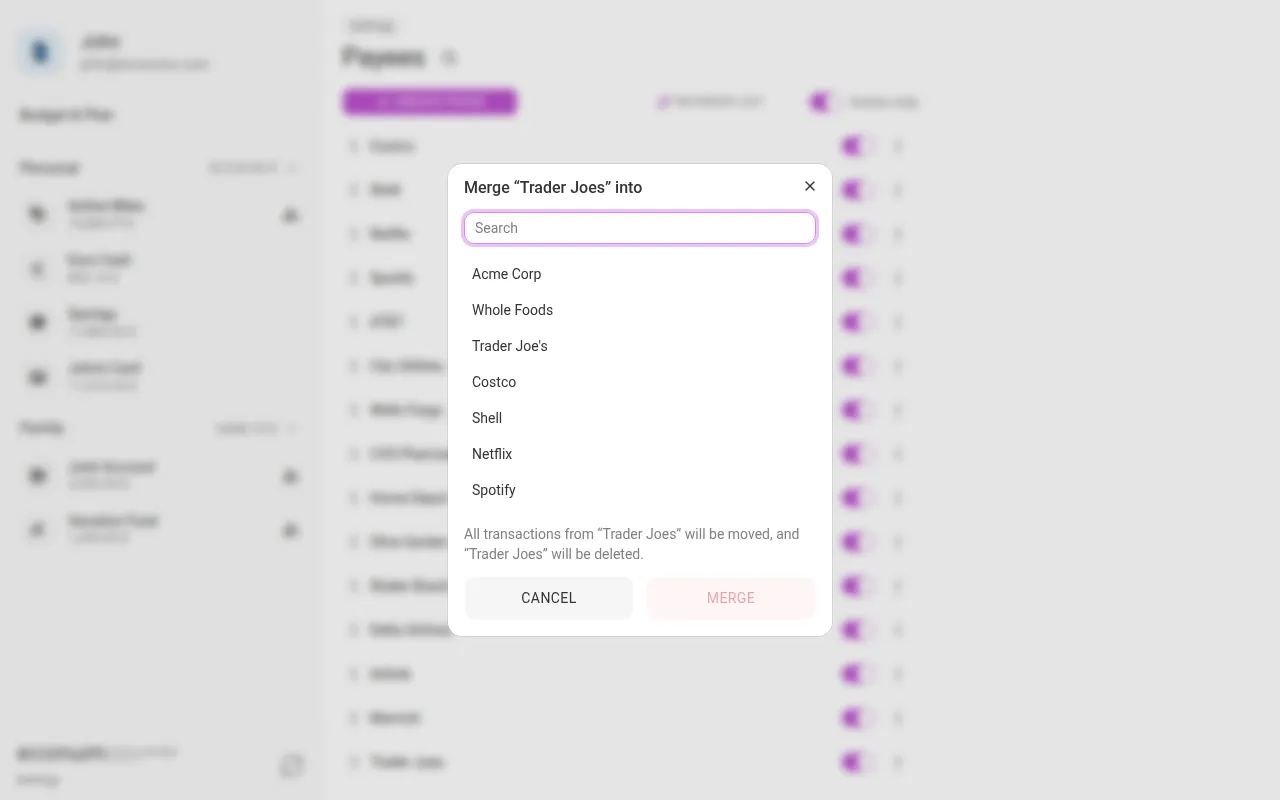
Every long-lived dataset accumulates duplicates — a “Groceries” and a “Food”, two spellings of the same shop. Each classification’s ⋮ menu now offers Merge into…: pick the survivor, and every transaction and recurring template is re-pointed at it in a single step, after which the duplicate is deleted.
- Open Settings → Categories (or Tags, or Payees).
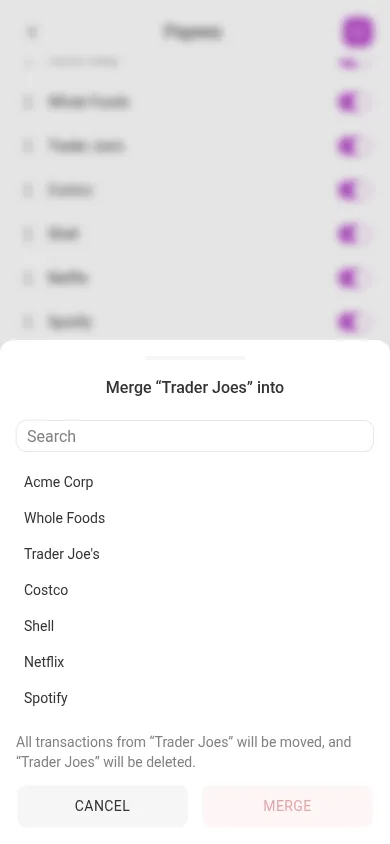
- In the duplicate’s ⋮ menu, choose Merge into…. On a phone the same dialog arrives as a bottom sheet.
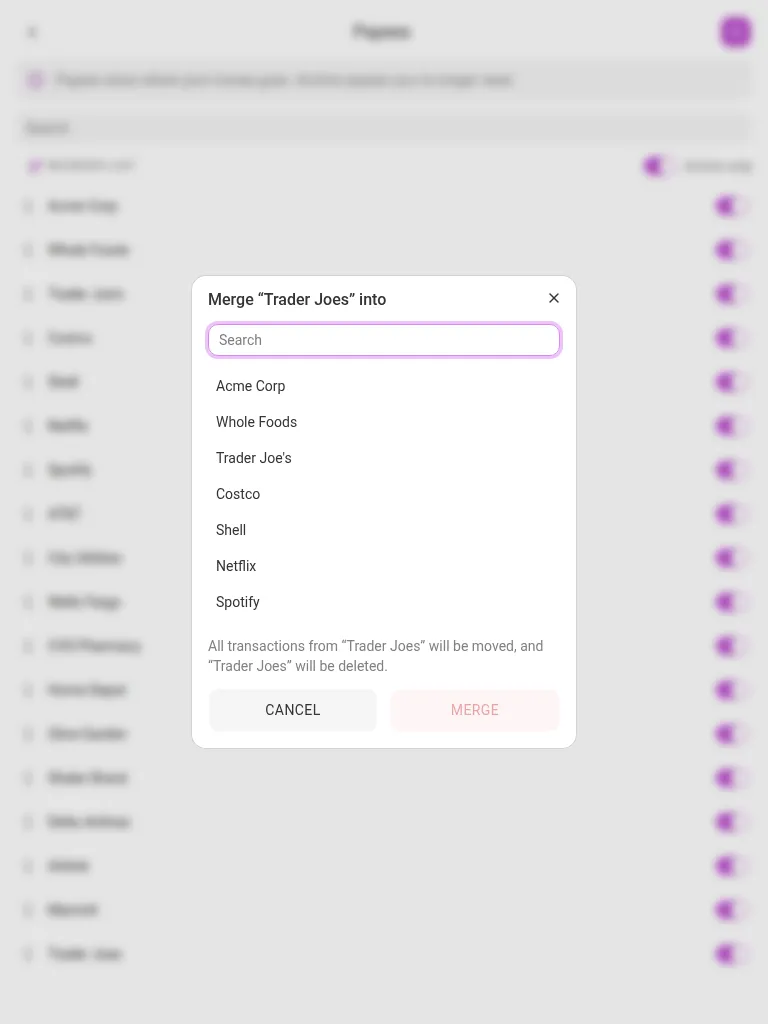
- Pick the survivor from the list, or find it with the Search box. The dialog spells out what will happen: “All transactions from ”…” will be moved, and ”…” will be deleted.”
- Tap MERGE.
Note Merging categories also merges their budget rows: planned amounts are added together per period rather than discarded. If the two sit in different envelopes the dialog warns you first — “If the two sit in different envelopes, update your budget first so you don’t lose your planned amounts.”
More in this release #
- Explicit budget account membership — which accounts a budget counts is now an explicit, editable set (with an “N of M included” counter) instead of an exclusion list. This also fixes phantom “available” balances on archived categories, and deleted accounts keep counting in history with an automatic balance correction, so past months stay consistent.
- Browse past budget months — the period strip is clamped to the budget’s lifetime, earlier months open read-only, and desktop gets explicit previous/next arrows.
- Faster reordering — dragging accounts, categories, tags, payees and budget rows now writes a single row per move instead of renumbering everything below it, and fixes lists that had drifted into duplicate positions.
- Native mobile app shells — the app now also ships as iOS and Android builds (Capacitor) with native token storage, share-sheet CSV export, and a custom-server picker for self-hosted backends. The web app remains the single frontend.
- Transactions on a shared account now always use the account owner’s categories and tags, so the owner’s budget stays correct no matter who records the spending.
- Accepting a shared account or budget loads the partner’s categories, tags and currencies right away — their transactions no longer show as “Uncategorized” until a manual refresh.
- Posting a future-dated recurring template from the account list dates the transaction today instead of the future date.
- Sign-in and registration no longer fail silently in a fresh browser when the custom-server option is enabled, and registration errors now show the server’s actual reason.
- Reporting tags flow through CSV import and export as their own column, and recurring templates carry them onto every posted transaction.
- Form validation errors clear as soon as you fix the field, the budget accounts counter can no longer read “6 of 5”, and a malformed API request returns a proper
400instead of a500. - Dependency updates across the Go and frontend stacks.
Upgrading #
Back up your database, then pull the new image and restart — migrations run automatically on boot, including the new reporting-tag and budget-lifecycle tables, the budget account-membership seeding, and the balance correction for deleted accounts. No .env changes are required. API scripts that used the renamed endpoints (see the callout above) need updating; ghcr.io/econumo/econumo:latest points at this build, and ghcr.io/econumo/econumo:v1.4.0 pins it.
GitHub release #
- Econumo: v1.4.0
- Full changelog: v1.3.1…v1.4.0