Finding the right tool to manage your money can feel overwhelming, but it doesn’t have to be expensive. The best free budgeting software helps you track spending, save for goals, and gain control over your financial future without a monthly subscription. Whether you need a collaborative app for your family, a privacy-focused tool you can host yourself, or a simple system for manual tracking, there’s a free option that fits your needs. In this guide, we’ll break down the top 12 contenders, analyzing their unique strengths, limitations, and ideal use cases to help you make a confident choice.
This is not a list of generic descriptions. We dive deep into what makes each platform unique, helping you understand the practical differences between them. We compare critical features like automatic bank syncing versus manual entry, multi-currency support for expats, and joint account management for couples and families. For those who prioritize data ownership, we also highlight self-hosted solutions that give you complete control over your financial information.
Our goal is to give you a clear, honest assessment so you can find the perfect fit for your specific financial situation. Each entry includes a detailed review, screenshots of the interface, and direct links to get you started. Instead of wasting time testing dozens of apps, use this curated guide to find the one tool that will bring clarity to your finances. Let’s explore the options and discover which free budgeting software is truly the best for you.
1. Econumo #
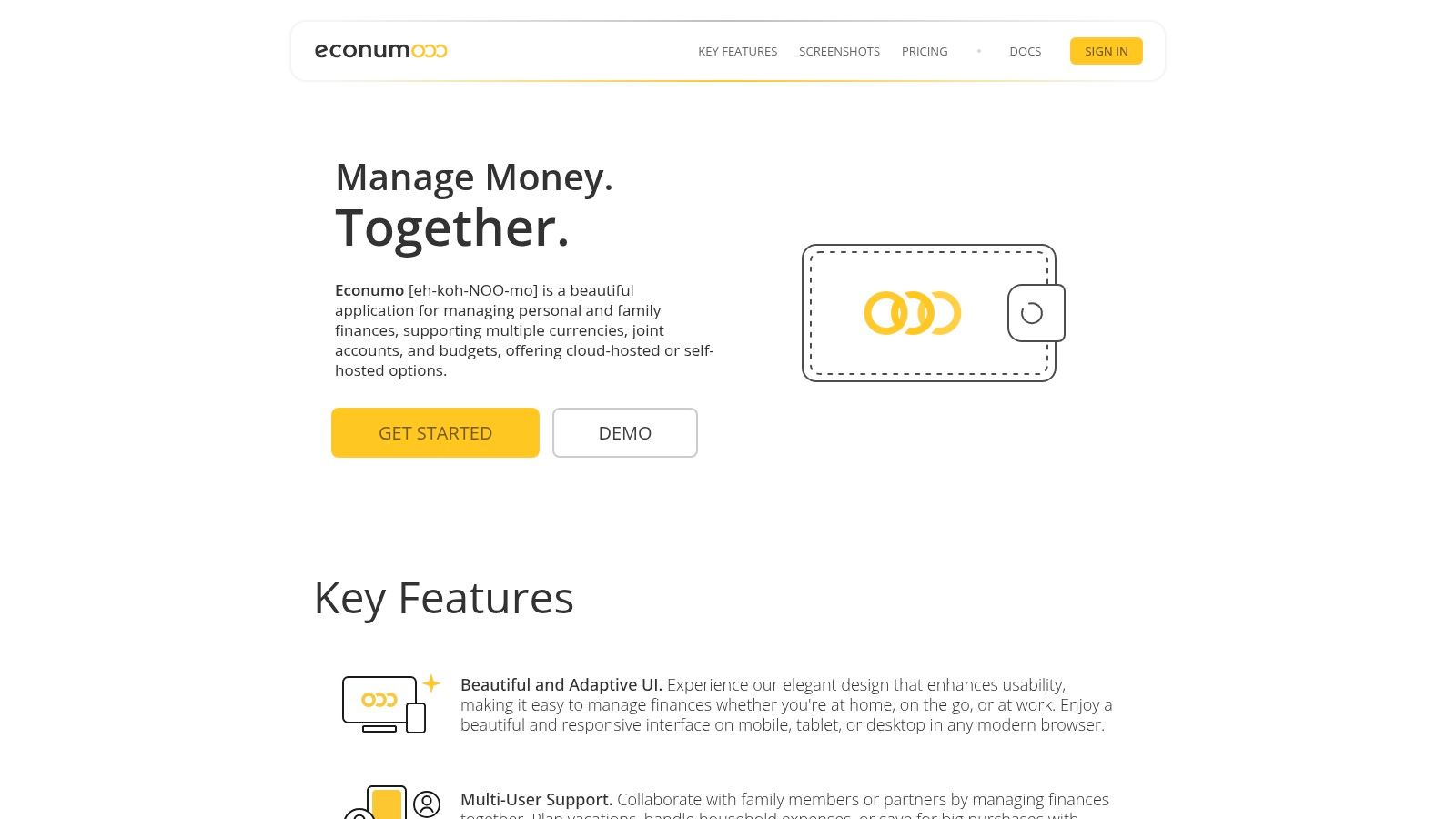
Econumo stands out as our top recommendation for the best free budgeting software, particularly for users who prioritize privacy, control, and collaborative finance management. It offers a powerful, self-hosted Community Edition that gives you complete ownership of your financial data, a critical feature for privacy-conscious individuals. The platform is engineered from the ground up for households, couples, and families, providing robust multi-user and joint-account functionalities that simplify shared financial goals.
Why Econumo is a Top Choice #
What makes Econumo exceptional is its focus on intentional financial management through manual transaction entry. While this requires more effort than automatic bank syncing, it fosters a deeper awareness of spending habits. This hands-on approach is ideal for anyone serious about getting a handle on their finances, as it forces a regular review of where money is going. For a deeper dive into this philosophy, you can read their guide on the fundamentals of tracking income and expenses.
The software’s adaptive interface is another major strength, delivering a polished and intuitive experience on desktop, tablet, and mobile devices without needing separate apps. This design-forward approach makes managing your budget a clear and seamless process, no matter where you are.
In-Depth Feature Analysis #
| Feature | Econumo’s Approach |
|---|---|
| Privacy & Hosting | Self-hosted and free Community Edition for full data control. |
| Collaboration | Built-in multi-user and joint accounts for shared household budgets. |
| Currency Support | Native multi-currency handling, perfect for expats or travelers. |
| Data Entry | Manual-entry focused, promoting mindful spending and accuracy. |
| Advanced Use | Includes an API for power users to build custom automations. |
Access and Pricing #
The core software is accessible via a free, self-hosted Community Edition that you can install on your own infrastructure. For users who prefer a managed solution, Econumo is developing a cloud version with a planned one-time fee (estimated around $20–$30 per user). You can join the waiting list on their website, and early adopters may receive a discount.
- Website: Econumo.com
2. Goodbudget #
Goodbudget brings the time-tested envelope budgeting system into the digital age. It’s an excellent choice for households and couples who want to proactively assign every dollar a job before spending it. Instead of connecting to your bank accounts, the free version operates on manual entry, which forces you to be more mindful of your spending habits.
The platform is built around creating digital “Envelopes” for different spending categories, like groceries, rent, or entertainment. As you spend money, you record the transaction and assign it to an envelope, watching its balance decrease. This simple, hands-on approach is what makes it some of the best free budgeting software for those who find automatic syncing overwhelming.
Who is it for? #
Goodbudget is ideal for couples and families who need to share a budget. The free plan allows you to sync your budget across two devices, so both partners can track spending from the same set of envelopes in real-time. It’s also great for anyone committed to the envelope method who prefers a digital solution over physical cash.
Goodbudget’s core strength is its simplicity and focus. It doesn’t try to do everything; it just does digital envelope budgeting exceptionally well, making it a powerful tool for collaborative household finance management.
Key Features and Limitations #
| Feature | Free Plan | Premium Plan ($8/mo) |
|---|---|---|
| Budgeting Method | Envelope System | Envelope System |
| Data Entry | Manual Only | Automatic Bank Sync (US/Canada only) |
| Collaboration | Syncs across 2 devices | Syncs across 5 devices |
| Envelopes | 10 regular + 10 annual/goal | Unlimited |
| Transaction History | 1 year | 7 years |
| Support | Community Forums | Email Support |
The free plan is quite generous for core budgeting but has clear limits. You get 20 total envelopes and one year of transaction history, which is sufficient for getting started. However, if you want the convenience of automatic bank syncing or need more envelopes and devices, you’ll need to upgrade.
Website: https://goodbudget.com
3. EveryDollar #
EveryDollar, from the team at Ramsey Solutions, is a powerful tool built entirely around the zero-based budgeting philosophy. The core principle is simple: give every dollar a job. Before the month begins, you plan where your income will go, ensuring your income minus your expenses equals zero. The free version is a purely manual experience, making you consciously account for every transaction.
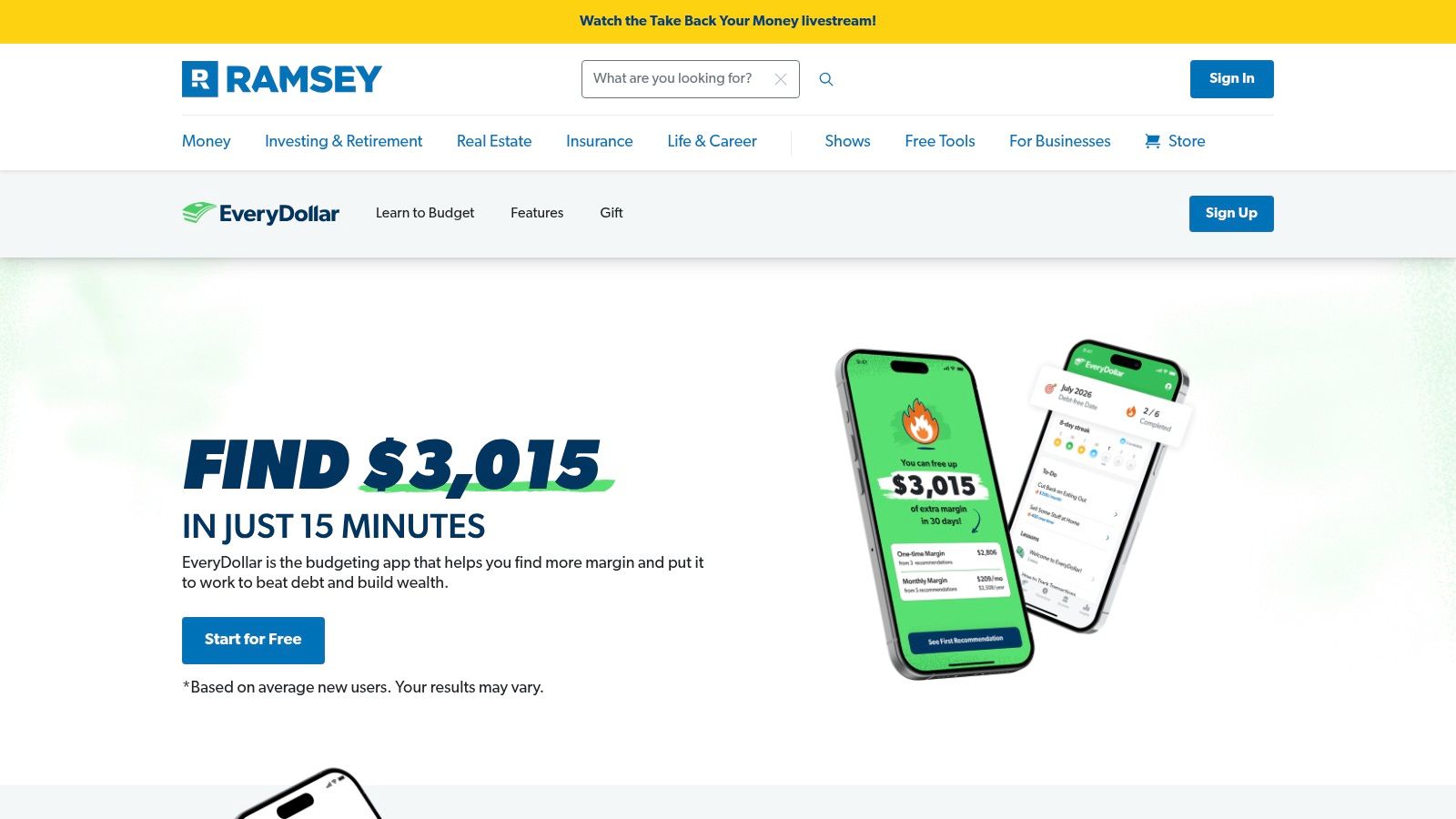
The platform guides you through creating your first budget, from logging income to assigning expenses to pre-set or custom categories. This structured approach removes the guesswork from budgeting. By forcing manual entry, the free version of this software helps users develop a keen awareness of their spending habits, which is a cornerstone of the Ramsey financial methodology. It’s some of the best free budgeting software for those specifically looking to implement a zero-based plan.
Who is it for? #
EveryDollar is perfect for individuals or families who are committed to a zero-based budget and want a clear, guided path to get out of debt and build wealth. Its manual-entry nature is ideal for users who want to be deeply involved in their daily financial tracking and avoid the privacy concerns of linking bank accounts. The web version makes it accessible internationally for basic budgeting.
EveryDollar’s core strength is its unwavering focus on the zero-based budget. It provides a straightforward, no-frills framework to help users gain total control of their money, one dollar at a time.
Key Features and Limitations #
| Feature | Free Plan | Premium Plan ($17.99/mo) |
|---|---|---|
| Budgeting Method | Zero-Based Budgeting | Zero-Based Budgeting |
| Data Entry | Manual Only | Automatic Bank Sync |
| Goal Tracking | Basic Sinking Funds | Advanced Financial Planning & Reports |
| Custom Categories | Yes | Yes |
| Paycheck Planning | No | Yes |
| Support | Help Center & Community | Email & Phone Support |
The free version provides everything you need to execute a successful manual zero-based budget. However, key conveniences like automatic bank transaction syncing, paycheck planning, and detailed reporting are reserved for the premium subscription. This makes the free plan an excellent starting point, with a clear upgrade path for those who want more automation.
Website: https://www.everydollar.com
4. Rocket Money #
Rocket Money (formerly Truebill) excels at helping users gain a quick overview of their financial health, with a strong focus on tracking subscriptions and recurring bills. While it offers basic budgeting features, its main strength in the free version is identifying where your money is going automatically, especially on forgotten monthly charges. It connects to your financial accounts to provide a snapshot of your spending, net income, and upcoming bills.
The platform provides a clear and modern interface that makes it easy to see your cash flow and spending patterns at a glance. It automatically categorizes your transactions and presents them in a simple overview. This automated approach makes it some of the best free budgeting software for users who want to identify spending leaks and manage their subscriptions without deep, manual budget management.
Who is it for? #
Rocket Money is perfect for individuals who suspect they are overspending on recurring services and want a tool to automatically find and track them. Its free features are best suited for those seeking high-level spending awareness rather than granular, zero-based budgeting. If your primary goal is to trim down monthly bills and get a simple financial overview, this is an excellent starting point.
Rocket Money’s core strength is its powerful subscription management. It automatically flags recurring payments, making it incredibly easy to see exactly where your money is going each month and decide what to cancel.
Key Features and Limitations #
| Feature | Free Plan | Premium Plan ($4-12/mo) |
|---|---|---|
| Budgeting Method | Spending Overview & Tracking | Full Budgeting w/ Custom Categories |
| Data Entry | Automatic Bank Sync | Automatic Bank Sync |
| Collaboration | Not Available | Shareable Budgets |
| Key Free Features | Subscription Tracking, Net Worth | Bill Negotiation, Unlimited Budgets |
| Customization | Limited Categories | Unlimited Categories, Data Export |
| Support | In-App Chat | Priority In-App Chat |
The free tier is great for identifying financial drains like old subscriptions and seeing an upcoming bill timeline. However, core budgeting functionality is limited. Creating unlimited custom budget categories, sharing your budget with a partner, and accessing services like bill negotiation are all locked behind the Premium subscription, which uses a variable pricing model.
Website: https://www.rocketmoney.com
5. Empower Personal Dashboard (formerly Personal Capital) #
Empower Personal Dashboard offers a powerful suite of free financial tools that go beyond simple expense tracking. While it includes budgeting features, its primary strength lies in providing a holistic view of your entire financial life, from spending and cash flow to investments and net worth. It’s designed for users who want to see the big picture, not just manage day-to-day spending categories.
The platform works by aggregating all your financial accounts in one place, including bank accounts, credit cards, loans, and investment portfolios. Its budgeting tool presents a simple monthly spending summary and a visual “budget ring” that indicates if you’re on track. This approach makes it some of the best free budgeting software for those who prioritize high-level financial health and investment tracking over granular, envelope-style budgeting.
Who is it for? #
Empower is perfect for individuals who are focused on building wealth and tracking investments. If your financial goals include retirement planning, analyzing investment fees, and monitoring your net worth, Empower’s free dashboard is an invaluable tool. It’s less suited for those who need strict, category-level spending control or want to share a detailed household budget.
Empower’s core strength is its comprehensive financial aggregation. It uniquely combines spending analysis with robust, free investment and retirement planning tools, offering a complete picture of your financial health.
Key Features and Limitations #
| Feature | Free Plan | Premium Plan (Advisory Services) |
|---|---|---|
| Budgeting Method | Aggregated Spending & Cash Flow | Same as Free Plan |
| Data Entry | Automatic Bank Sync | Automatic Bank Sync |
| Investment Tools | Portfolio Tracking, Fee Analyzer, Retirement Planner | Dedicated Financial Advisors |
| Net Worth Tracking | Included | Included |
| Category Budgets | Not Supported | Not Supported |
| Support | Online Help Center | Dedicated Advisor Support |
The free dashboard is incredibly robust, providing tools that many competitors charge for, such as the Retirement Planner and Investment Fee Analyzer. The main limitation is its budgeting functionality; it shows you where your money went but doesn’t help you create a proactive, category-based spending plan. The premium service is focused on wealth management with financial advisors, not enhanced budgeting tools.
Website: https://www.empower.com
6. Honeydue #
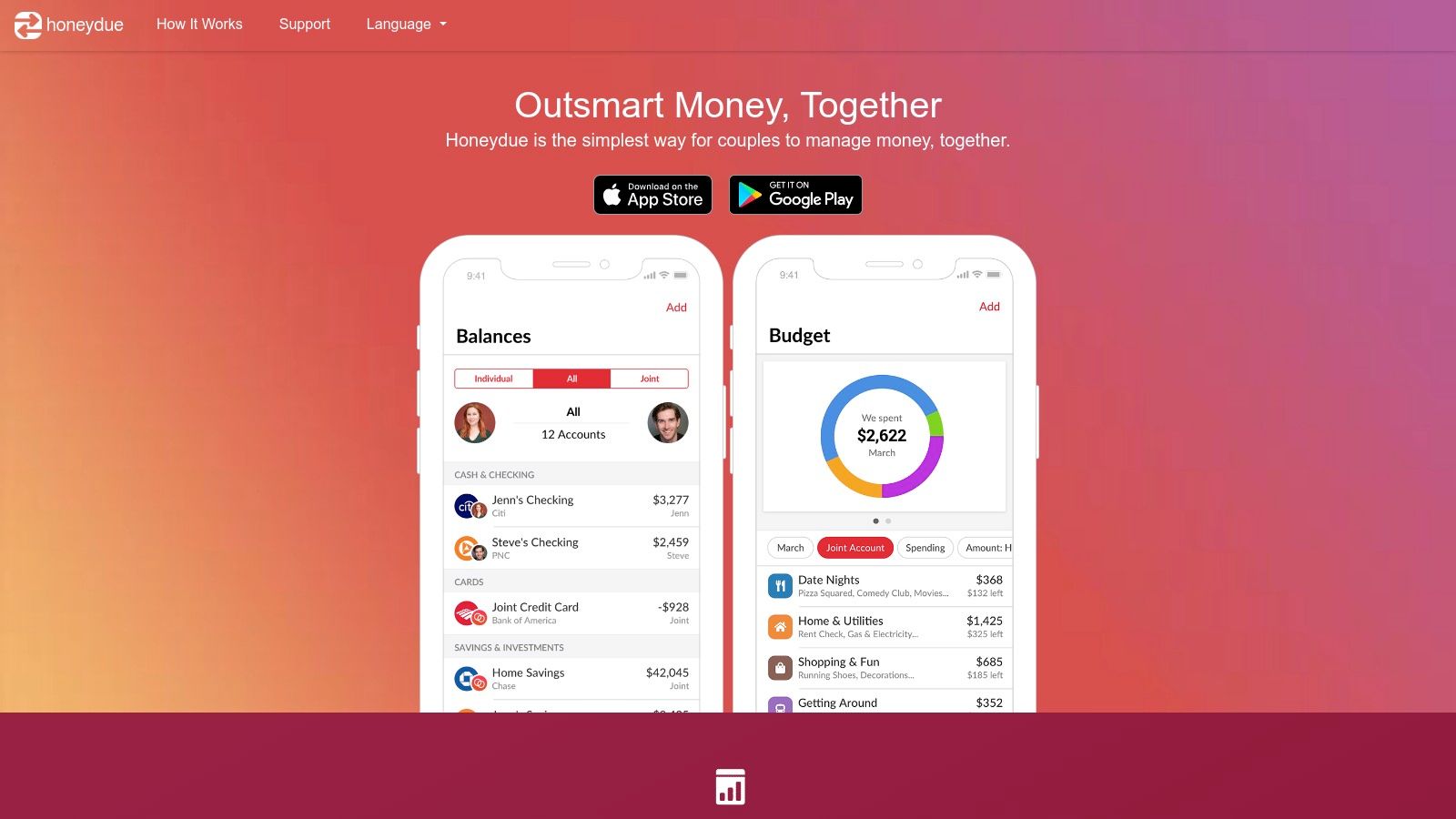
Honeydue is a free mobile app designed from the ground up to simplify finances for couples. It eliminates the awkwardness of money conversations by creating a transparent, shared space where both partners can see their individual and joint accounts, track spending, and coordinate on bills. The app focuses exclusively on collaborative finance, making it a standout choice for partners looking to manage their money together.
Unlike many other apps, Honeydue’s core mission is to facilitate teamwork. You and your partner link your bank accounts, and you can choose the level of visibility for each one, from fully shared to completely private. This flexibility allows for both financial independence and shared responsibility, which is why it’s considered some of the best free budgeting software for modern couples. The app also features an in-app chat for discussing specific transactions.
Who is it for? #
Honeydue is built exclusively for couples, whether they are married, living together, or just starting to merge their financial lives. Its features are tailored to address the common pain points of shared finances, such as splitting expenses and communicating about spending. If you’re looking for strategies on how to approach these conversations, you can learn more about how to budget as a couple.
Honeydue’s greatest strength is its laser focus on the user experience for two. It’s not just a budgeting app with a “share” feature; every element is designed to improve financial communication and coordination between partners.
Key Features and Limitations #
| Feature | Details |
|---|---|
| Budgeting Method | Shared Expense Tracking & Category Limits |
| Data Entry | Automatic Bank Sync |
| Collaboration | Designed for 2 users with shared/private views |
| Platform | Mobile App Only (iOS & Android) |
| Cost | Completely Free |
| Unique Features | In-app chat, Bill reminders, Expense splitting |
The app is entirely free, with no premium tiers or hidden paywalls for its core features, which is a major advantage. However, its biggest limitation is that it is a mobile-only platform with no desktop or web version available. The quality of its automatic bank syncing can also vary depending on your financial institution.
Website: https://www.honeydue.com
7. GnuCash #
GnuCash is powerful, free, open-source accounting software that runs on your desktop. More than just a simple budget tracker, it uses a professional double-entry accounting system, making it an excellent choice for users who want granular control and robust reporting features without their data ever touching the cloud.
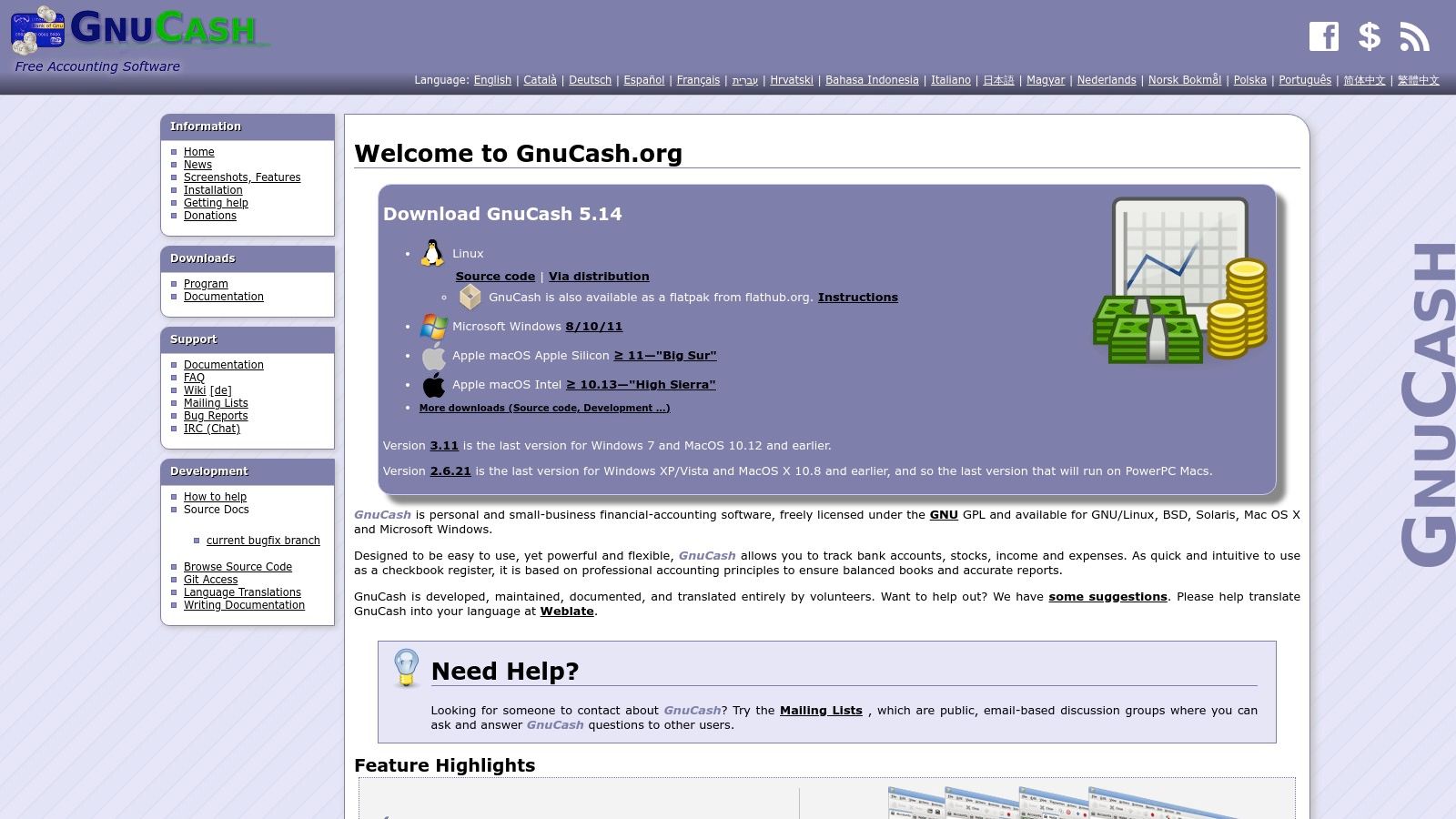
Unlike most web-based apps, GnuCash stores all your financial data locally on your computer, ensuring complete privacy. It supports scheduled transactions, multi-currency accounting, and can generate a wide array of reports, from cash flow statements to balance sheets. This makes it some of the best free budgeting software for those who prioritize data ownership and powerful features over a slick, modern interface.
Who is it for? #
GnuCash is ideal for privacy-conscious individuals, small business owners, or anyone comfortable with traditional accounting principles. Its desktop-first approach is perfect for users who prefer to manage finances on a local machine rather than a cloud service. While it has a learning curve, its capabilities are extensive, making it a favorite among other open-source personal finance software options.
GnuCash’s core strength is its professional-grade accounting engine. It provides an unparalleled level of detail and reporting for a free tool, giving users complete control and privacy over their financial data.
Key Features and Limitations #
| Feature | Free Plan | Premium Plan |
|---|---|---|
| Budgeting Method | Double-Entry Accounting | N/A (Completely Free) |
| Data Entry | Manual Entry & File Import (QIF/OFX/CSV) | N/A |
| Collaboration | Not supported (local files only) | N/A |
| Data Privacy | 100% Local Files, No Cloud Sync | N/A |
| Multi-Currency | Yes, with online quote updates | N/A |
| Platform | Desktop Only (Windows, macOS, Linux) | N/A |
GnuCash is completely free and open-source, so there are no paid tiers or feature limitations. However, its main “limitations” are inherent to its design. It lacks automatic bank syncing and mobile apps, relying on manual data entry or importing files downloaded from your bank. The interface can also feel dated and complex for beginners.
Website: https://www.gnucash.org
8. Money Manager Ex #
Money Manager Ex is a free, open-source, and cross-platform personal finance tool that champions simplicity and offline control. It’s an excellent desktop-first solution for users who prefer manual data entry or importing files (like CSV or QIF) over connecting directly to bank accounts. This makes it a strong contender for the best free budgeting software for privacy-conscious individuals.
The software provides a clear, no-frills interface for tracking income, expenses, assets, and liabilities. You can set monthly or yearly budgets and generate detailed reports to see where your money is going over time. Its focus is on providing a comprehensive, self-contained financial overview without the complexities of online services.
Who is it for? #
Money Manager Ex is perfect for individuals who want a powerful, completely free, and offline-first budgeting tool that they control. Its cross-platform support (Windows, macOS, Linux) and Android companion app appeal to tech-savvy users, while its multi-currency support makes it a great fit for expats or frequent travelers managing finances across different countries.
Money Manager Ex’s core strength is its powerful, offline functionality. It provides a robust, desktop-centric experience that’s entirely free and open-source, giving you complete control over your financial data without any subscriptions.
Key Features and Limitations #
| Feature | Details |
|---|---|
| Budgeting Method | Traditional (Income vs. Expense) |
| Data Entry | Manual, CSV/QIF Import |
| Platform Support | Windows, macOS, Linux, Android (companion) |
| Collaboration | Not designed for real-time sync |
| Multi-currency | Yes, fully supported |
| Data Security | Local files, optional database encryption |
The application is entirely free, with no premium tiers or hidden costs. Its primary limitation is the lack of automatic bank syncing, which is a deliberate design choice to prioritize privacy and user control. The interface, while functional, feels more utilitarian than modern, cloud-based apps. However, for those who value function over form and want a secure, offline solution, Money Manager Ex is an outstanding choice.
Website: https://moneymanagerex.org
9. HomeBank #
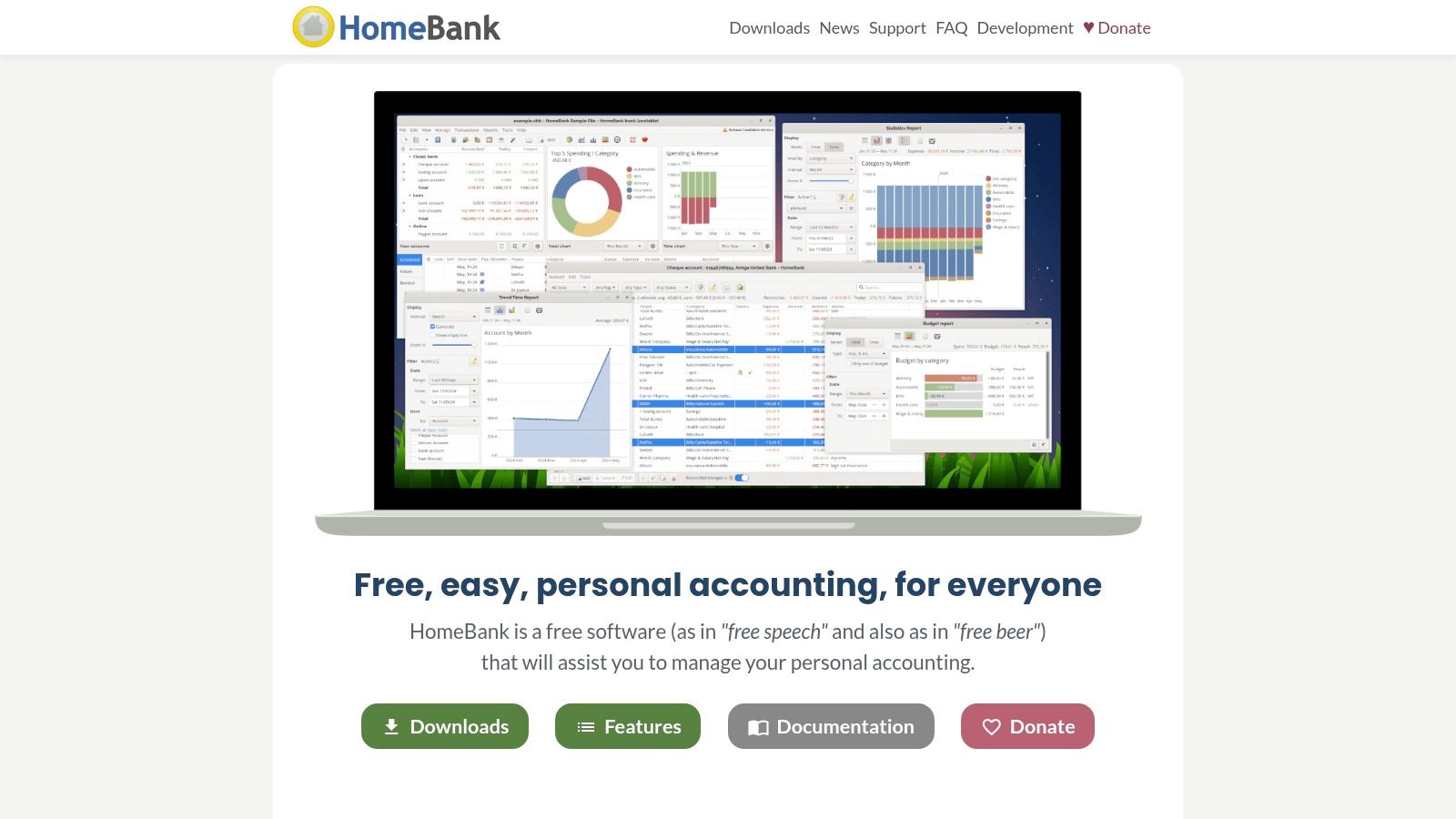
HomeBank is a mature, open-source desktop application that offers powerful, private financial management completely free of charge. For users who prefer to keep their data local and avoid cloud-based services, it provides a comprehensive suite of tools for tracking accounts, analyzing spending, and creating detailed budgets. It operates entirely offline, making it a reliable choice for privacy-conscious individuals.
The software excels at turning raw transaction data into insightful visual reports. By importing files from your bank (like OFX, QIF, or CSV), you can categorize spending, split transactions, and use its robust charting tools to understand exactly where your money is going. Its longevity and focus on local data analysis make it some of the best free budgeting software for users who value control over convenience.
Who is it for? #
HomeBank is perfect for data-driven individuals who want granular control over their financial analysis without relying on an internet connection or third-party servers. It’s also an excellent option for expats or anyone managing multiple currencies, thanks to its strong multi-currency support. If you’re comfortable with a traditional desktop interface and prioritize privacy and robust reporting over mobile access, HomeBank is a standout choice.
HomeBank’s core strength is its powerful, offline reporting. It transforms manual transaction imports into sophisticated charts and forecasts, giving you deep financial insights without ever sending your data to the cloud.
Key Features and Limitations #
| Feature | Free Plan | Premium Plan |
|---|---|---|
| Budgeting Method | Category-based Budgeting & Forecasting | N/A (Completely Free) |
| Data Entry | Manual or File Import (OFX, QIF, CSV) | N/A (Completely Free) |
| Collaboration | Not supported (Single-user desktop app) | N/A (Completely Free) |
| Multi-currency | Fully supported | N/A (Completely Free) |
| Platform | Desktop Only (Windows, macOS, Linux) | N/A (Completely Free) |
| Support | Online Documentation & Community Forums | N/A (Completely Free) |
As a completely free and open-source project, HomeBank has no paid tiers or hidden costs. Its main limitation is its desktop-only nature, meaning there is no mobile app for on-the-go transaction entry. The user interface, while functional, can also feel dated compared to modern, web-based platforms. However, for cost-free, private, and detailed financial analysis on a desktop computer, it remains a top-tier option.
Website: https://www.gethomebank.org
10. Firefly III #
Firefly III is the ultimate solution for privacy-conscious users who want complete control over their financial data. As a self-hosted platform, it runs on your own server, meaning your information never leaves your possession. It’s a powerful, open-source tool built for those who are comfortable with technology and prioritize data ownership above all else.
The platform offers sophisticated features, including detailed budgeting with rollover options, rule-based automation for categorizing transactions, and in-depth reporting. While it doesn’t offer direct bank syncing, it supports importing data from your bank or using community-built connectors. This makes it some of the best free budgeting software for tinkerers and data privacy advocates.
Who is it for? #
Firefly III is perfect for tech-savvy individuals who are comfortable setting up their own web applications using tools like Docker. It is the top choice for users who demand absolute privacy and want a system they can customize, automate, and control without relying on third-party services.
Firefly III’s core strength is its unparalleled data privacy and customizability. By being self-hosted, it offers a level of security and control that no cloud-based service can match, giving you true ownership of your financial history.
Key Features and Limitations #
| Feature | Free Plan | Premium Plan |
|---|---|---|
| Budgeting Method | Flexible Budgets, Rules, Categories | N/A (Completely Free) |
| Data Entry | Manual, CSV Import, API, Community Connectors | N/A (Completely Free) |
| Hosting | Self-Hosted Only | N/A (Completely Free) |
| Multi-Currency | Yes, fully supported | N/A (Completely Free) |
| Collaboration | Single User (by default) | N/A (Completely Free) |
| Support | Community Forums, GitHub, Documentation | N/A (Completely Free) |
As open-source software, Firefly III is completely free, with no premium tiers or hidden costs. Its main “cost” is the time and technical knowledge required for setup and maintenance. The powerful API and rule system allow for extensive automation, but the lack of native bank syncing and a dedicated mobile app might be a deal-breaker for those seeking pure convenience.
Website: https://www.firefly-iii.org
11. Apple App Store (iOS/iPadOS) #
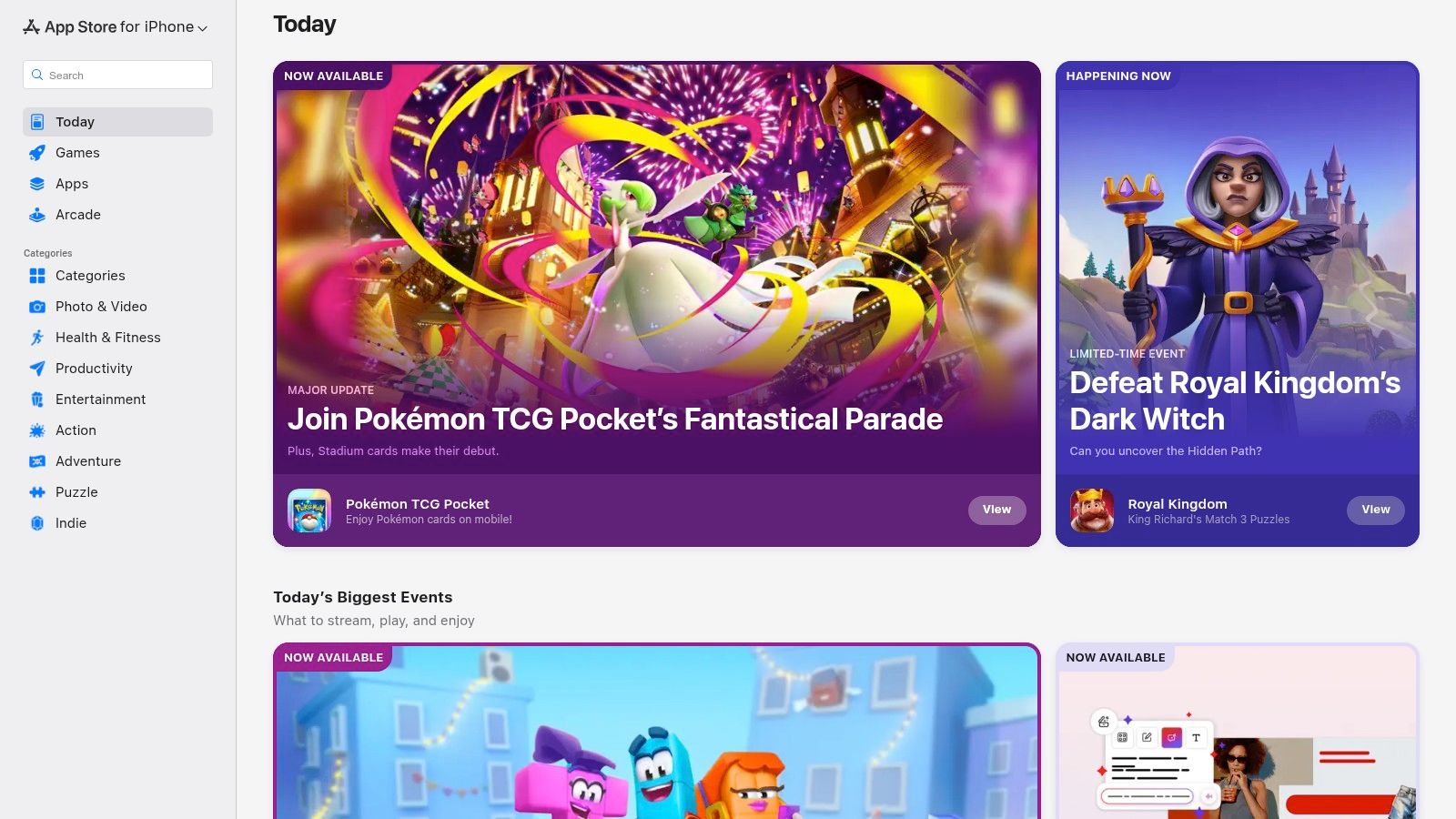
While not a budgeting tool itself, the Apple App Store is the essential gateway for iPhone and iPad users to find the best free budgeting software available. It serves as a curated, secure marketplace where you can discover, compare, and download hundreds of personal finance apps, from simple expense trackers to comprehensive financial planners.
The store’s real value lies in its organization and user-centric features. You can browse editorial collections like “Best Budgeting Apps,” read user reviews to gauge real-world experiences, and, most importantly, check Apple’s mandatory Privacy Labels. These labels provide a transparent summary of what data an app collects, helping you make an informed choice before you even download it.
Who is it for? #
The App Store is the starting point for any iPhone or iPad user looking for a budgeting app. It is especially useful for those who prioritize security, privacy, and user feedback. If you want to quickly compare multiple options and see how each one handles your data, the store’s built-in tools are invaluable.
Apple App Store’s core strength is its role as a trusted curator. It simplifies the search for high-quality, secure budgeting tools by providing transparent privacy information and user-generated reviews in one centralized, safe place.
Key Features and Limitations #
| Feature | Available | Notes |
|---|---|---|
| App Discovery | Curated Lists & Charts | Helps find popular and reputable apps. |
| User Feedback | Ratings & Reviews | Offers real-world insights from users. |
| Privacy Transparency | Mandatory Privacy Labels | Details what data an app collects. |
| Platform Access | iOS & iPadOS only | Not a source for Android or web apps. |
| Cost Structure | “Free” with In-App Purchases | Many apps use a freemium model. |
| Updates | Automatic App Updates | Keeps apps secure and up-to-date. |
The main limitation is that “free” can often mean “freemium.” Many apps offer a free tier but lock essential features behind a subscription or a one-time purchase. It’s crucial to read the app description and reviews to understand what the free version truly includes before committing.
Website: https://apps.apple.com
12. Google Play Store (Android) #
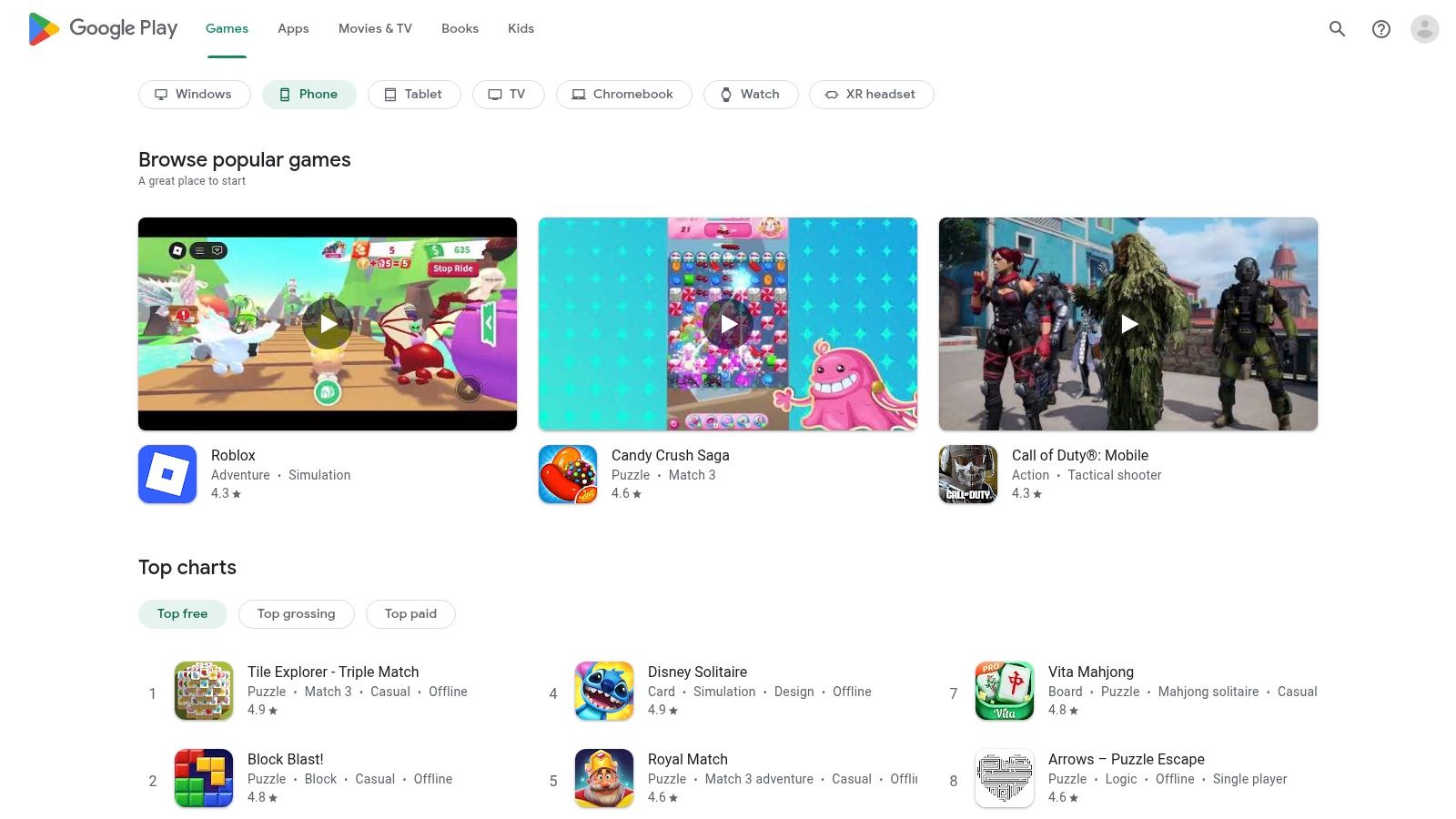
While not a budgeting app itself, the Google Play Store is the essential gateway for Android users to find the best free budgeting software. It acts as a massive, curated library where you can compare dozens of tools, read user reviews, and see which apps are gaining traction. Its value lies in providing unparalleled choice and the ability to test-drive multiple options with a single tap.
The platform makes discovery easy with category searches and editorial recommendations. You can quickly see an app’s key features, permissions required, and update history before installing, which helps in making an informed decision. This centralized marketplace simplifies the process of finding a free tool that perfectly matches your specific financial needs and preferences.
Who is it for? #
The Google Play Store is the starting point for any Android user looking for budgeting software. It is particularly useful for individuals who are unsure what budgeting style suits them and want to experiment with different apps, from envelope systems to zero-based budgeting tools, without significant commitment.
The Google Play Store’s core strength is its vast selection and user-driven feedback. It empowers you to find niche and popular apps alike, using real-world reviews to guide your choice for the ideal free budgeting solution.
Key Features and Limitations #
| Feature | Google Play Store Platform |
|---|---|
| Primary Function | App Discovery & Installation |
| Selection | Hundreds of budgeting apps (free and paid) |
| Vetting | User ratings, reviews, and download counts |
| Ease of Use | One-click installs and automatic updates |
| Transparency | Clear display of app permissions and privacy policies |
| Limitation | Quality varies significantly; requires user research |
The platform itself is completely free to use. However, the apps available on it have their own pricing models. Many offer robust free tiers but may gate advanced features like bank syncing or unlimited accounts behind a paywall or subscription. The key challenge is sifting through the options to find a high-quality free app that isn’t overly restrictive.
Website: https://play.google.com
Top 12 Free Budgeting Apps — Feature Comparison #
| Product | Core features | UX / Quality (★) | Price / Value (💰) | Target (👥) | Unique selling points (✨) |
|---|---|---|---|---|---|
| 🏆 Econumo | Multi-user & joint accounts, manual entry, multi-currency, API, self-host/community edition | ★★★★☆ — polished, adaptive UI | 💰 Self-host: Free; Cloud (upcoming): one-time ~$20–$30/user | 👥 Couples, families, travelers, privacy-minded power users | ✨ Privacy-first self-hosting, collaborative budgets, API automation, multi-currency |
| Goodbudget | Digital envelope budgeting, cross-device sync, debt tracking | ★★★☆☆ — simple envelope UX | 💰 Free core; Premium for bank sync (US) | 👥 Households using envelope method | ✨ Clear envelope workflow, easy upgrade path |
| EveryDollar | Zero-based budgeting, category budgets, goal tracking | ★★★☆☆ — focused, straightforward | 💰 Free web; Premium adds bank connections | 👥 Zero-based budgeters, Ramsey followers | ✨ Zero-based workflow, simple planning |
| Rocket Money | Subscription tracking, bill timeline, spending overview | ★★★☆☆ — good for subscriptions | 💰 Free tier; Premium for advanced features/services | 👥 Users tracking bills & subs | ✨ Recurring bill timeline, optional negotiation services |
| Empower Personal Dashboard | Account aggregation, cash-flow, investment & fee analysis | ★★★★☆ — strong analytics | 💰 Free dashboard; advisory services paid | 👥 Investors & users wanting broad financial view | ✨ Robust account aggregation + investment analysis |
| Honeydue | Linked accounts with shared visibility, category limits, in-app chat, splits | ★★★☆☆ — mobile-first, couple-focused | 💰 Free (core features) | 👥 Couples managing shared finances | ✨ In-app chat + split expense tracking, free core |
| GnuCash | Double-entry accounting, budgets, scheduled transactions, imports | ★★★☆☆ — powerful but dated UI | 💰 Free, local data files | 👥 Advanced users & privacy-focused accountants | ✨ Full double-entry reports, local-only data ownership |
| Money Manager Ex | Yearly/monthly budgets, multi-currency, CSV/QIF import, Android companion | ★★★☆☆ — lightweight & utilitarian | 💰 Free | 👥 Users wanting simple cross-platform/manual budgeting | ✨ Portable builds, Android companion |
| HomeBank | Budgets, forecasting, OFX/QIF/CSV import, visual charts | ★★★☆☆ — mature visual reports | 💰 Free | 👥 Desktop users wanting local analysis | ✨ Strong visual trend analysis, long-developed tool |
| Firefly III | Budgets/envelopes, recurring transactions, rules, extensive REST API | ★★★★☆ — powerful self-hosted tool | 💰 Free (self-host) | 👥 Power users seeking full data ownership | ✨ Full self-hosting, advanced rules & automation |
| Apple App Store (iOS/iPadOS) | App marketplace, ratings, reviews, privacy labels, editorial curation | ★★★★☆ — curated discovery on iOS | 💰 Free to browse; apps vary in price | 👥 iPhone & iPad users | ✨ Privacy labels, editorial lists for vetted apps |
| Google Play Store (Android) | Large app catalog, ratings, permissions, automatic updates | ★★★★☆ — vast selection on Android | 💰 Free to browse; app pricing varies | 👥 Android users | ✨ Huge selection, clear permissions & frequent updates |
Choosing Your Ideal Budgeting Companion #
Navigating the world of personal finance tools can feel overwhelming, but finding the best free budgeting software for your unique situation is a crucial step toward financial clarity and control. As we’ve explored, there is no single “perfect” solution for everyone. The right tool is the one that seamlessly integrates into your life, respects your values, and empowers you to achieve your specific goals, whether that’s getting out of debt, saving for a down payment, or simply understanding where your money goes each month.
The key is to move beyond a simple list of features and focus on what truly matters to you. Your financial journey is personal, and your budgeting tool should reflect that.
A Quick Recap: Matching the Tool to Your Needs #
Let’s distill our findings into a clear decision-making framework. Your ideal choice hinges on a few core priorities:
- For Ultimate Privacy and Control: If data ownership is non-negotiable, self-hosted solutions are your best bet. Econumo and Firefly III put you in the driver’s seat, ensuring your financial information never leaves your own server. This is the gold standard for privacy-conscious individuals and families who want total command over their data.
- For Couples and Family Collaboration: Managing money with a partner requires transparency and teamwork. Honeydue is built specifically for couples, while Econumo’s multi-user architecture allows for secure, shared access to a single, self-hosted instance. Goodbudget also facilitates a shared envelope system, making it a strong contender for joint household finances.
- For Adherence to a Specific Method: If you’re a fan of Dave Ramsey’s zero-based budgeting, EveryDollar is designed to support that exact methodology. Its structured approach can be incredibly effective for those who thrive on a clear, prescriptive plan for every dollar they earn.
- For Automatic Tracking and Bill Management: If you prefer a more hands-off approach, tools that sync directly with your bank accounts can save significant time. Rocket Money excels at identifying and canceling unwanted subscriptions, while Empower Personal Dashboard provides a high-level overview of your entire net worth, making it great for investment tracking alongside daily spending.
Key Factors to Consider Before You Commit #
Before you download and set up your new software, take a moment to reflect on these practical considerations. Answering these questions will help you avoid choosing a tool that creates more friction than it resolves.
- Manual Entry vs. Bank Sync: Are you willing to manually enter every transaction for maximum accuracy and mindfulness, as encouraged by tools like Econumo and GnuCash? Or do you value the convenience of automatic bank syncing offered by services like Empower and Rocket Money? There is no wrong answer, but your preference is a critical deciding factor.
- Technical Comfort Level: Are you comfortable with a one-time setup process for a self-hosted application like Firefly III or Econumo? Or do you prefer a simple cloud-based app that you can start using in minutes? Be honest about the time and technical skill you’re willing to invest upfront.
- Cross-Border Finances: If you are an expat, digital nomad, or frequently deal with multiple currencies, robust multi-currency support is essential. Desktop-based options like GnuCash, Money Manager Ex, and HomeBank often handle this well, as do self-hosted platforms designed for flexibility.
- The “Stickiness” Factor: The best free budgeting software is ultimately the one you use consistently. Don’t be afraid to test-drive two or three different options. Since they’re free, the only investment is your time. Spend a week with each to see which interface feels most intuitive and which workflow motivates you to stay engaged with your finances.
Your financial future is too important to leave to chance. By taking the time to select a tool that truly aligns with your lifestyle, goals, and values, you are not just organizing numbers; you are building a sustainable habit that will pay dividends for years to come. The right software acts as a trusted companion, providing the clarity you need to make confident decisions and build the life you want.
Ready to take control of your finances with a tool that prioritizes your privacy and grows with your family? Econumo offers a unique, self-hosted solution that combines the security of owning your data with powerful features for multi-user collaboration and detailed manual tracking. Start your journey to financial clarity today by exploring what a private, shared budgeting system can do for you at Econumo.